If in 2026 you keep hearing about MCP (Model Context Protocol) in every AI thread and you’re not quite sure what it is, this guide is for you. In short: MCP is the standard that lets an AI stop being isolated and actually use your tools and read your data in an orderly, secure way. We’ll explain what it is, why it has become so important, how it works and how to get started without getting lost.
What is MCP (Model Context Protocol)
MCP is an open protocol, originally driven by Anthropic, that standardises how an AI connects to external applications, tools and data sources. The idea is simple but powerful: instead of every company inventing its own way to “plug” AI into its software, everyone speaks the same language.
The comparison that explains it best: MCP is like the USB-C of AI. Before, every connection between a model and a tool was a custom cable; with MCP there’s a single connector that works for everything.
The problem it solves
A language model, however powerful, “lives” locked inside its training: it doesn’t know your files, your database or your calendar, and it can’t act on them. Until now, connecting it to each system required custom integrations that were fragile and hard to maintain.
MCP breaks that wall with a standard architecture. You connect once and the AI can query, read and run actions on that source, without reinventing the integration every time.
How it works: clients and servers
MCP uses an easy-to-understand client-server architecture:
- MCP server: a small program that “exposes” a tool or data source (your file system, a database, GitHub, a CRM…) in the MCP language.
- MCP client / host: the AI application that connects to those servers (for example Claude Desktop, an IDE like Cursor, or your own app).
- What they exchange: tools (actions the AI can run), resources (data it can read) and prompts (reusable templates).
The user only sees the result: you ask the AI “look at my latest invoices and tell me how much I’ve spent” and, thanks to an MCP server connected to your documents, it actually does it.
What MCP is used for
- Assistants that work with your data: answering about your documents, spreadsheets or knowledge base.
- Coding agents: that read your repo, run commands and consult documentation (it’s where it shows the most).
- Business automation: connecting AI to your CRM, email or internal tools so it acts, not just suggests.
- Ready-made connectors: there are more and more pre-built MCP servers (GitHub, Slack, databases, browser…) you plug in within minutes.
How to get started with MCP step by step
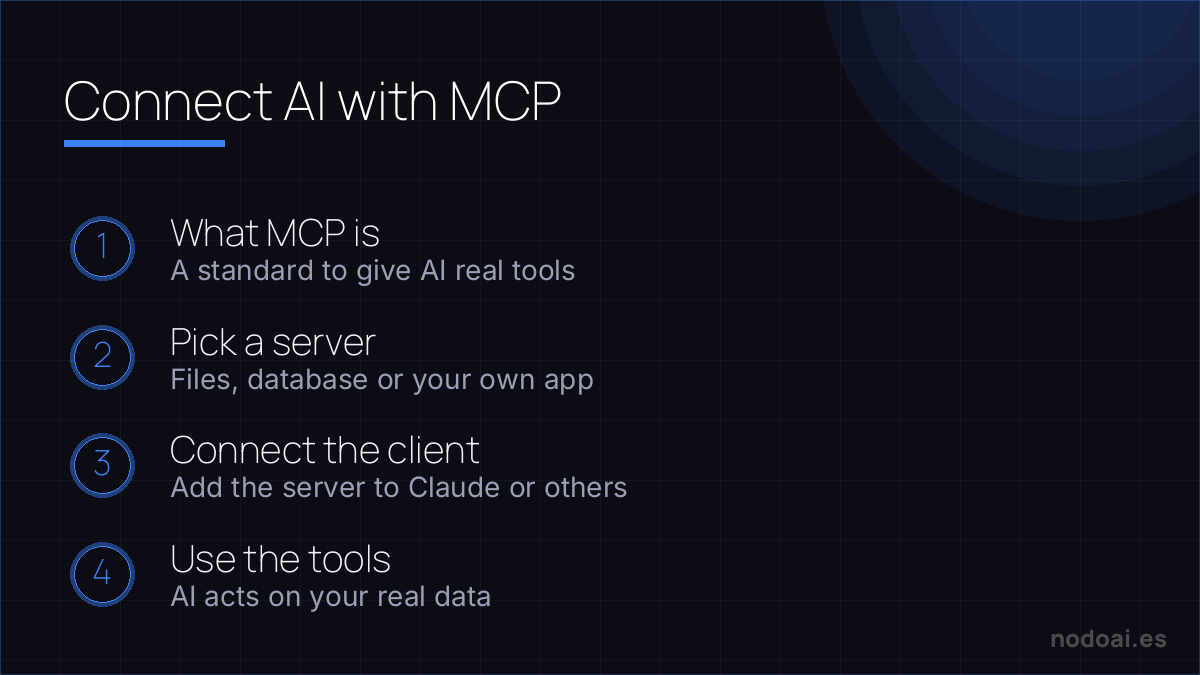
- Pick a host that supports MCP: Claude Desktop or an IDE with MCP support is the simplest entry point.
- Install an existing MCP server: start with an official, scoped one (for example, access to one team folder). Don’t build your own server on day one.
- Grant minimal permissions: give access only to what you need. MCP can run real actions, so treat it with the same care as any integration with permissions.
- Test with a small task: “summarise the files in this folder” before asking it to change anything.
- Once you’re comfortable, connect more sources or build your own server for your internal tools.
Our experience connecting AI with MCP
We’ve set up several MCP servers in our workflow, and a couple of things are worth more than all the theory:
- The leap from “AI that suggests” to “AI that does” is real and you feel it immediately. The moment we connected the file system and a couple of tools, we stopped copy-pasting context by hand. That back-and-forth was exactly what ate the most time.
- Permissions come first, not last. The first time we granted broad access “just to test” and regretted it: an MCP server can run real actions. Since then we always start with minimal, read-only permissions and expand once we trust the flow.
What we took away: MCP isn’t magic, it’s well-done plumbing. Its value isn’t the “wow” effect, but removing the friction of connecting AI to what you already use. Start small, with tight permissions, and grow as you see it’s safe.
Risks and security: what to watch
Like any technology that gives AI “hands”, MCP demands judgement:
- Grant the minimum access needed and review what each server can do.
- Be wary of MCP servers from dubious sources: installing one is like installing any software with permissions; use reliable sources.
- Review sensitive actions: deleting, sending or paying shouldn’t run without supervision.
Frequently asked questions about MCP
Is MCP from Anthropic or is it open?
It was driven by Anthropic, but it’s an open standard: anyone can build servers and clients, and more and more tools across the AI ecosystem support it, not just Claude.
Do I need to know how to code to use MCP?
To use ready-made MCP servers, less and less: many hosts let you enable them with little configuration. To build your own servers you do need some technical background.
How is MCP different from a plugin or a normal API?
An API is specific to each service; MCP is a common language so any AI can talk to any tool without custom integrations. It’s the layer that standardises all those connections.
Is it safe to connect my data with MCP?
It can be, if you grant minimal permissions and use trusted servers. The risk isn’t the protocol itself, but giving more access than needed or installing servers from dubious sources.
Conclusion
MCP is one of the most important shifts of 2026 because it turns AI into something genuinely connected and useful, not just an isolated chat. If you work with AI seriously, it’s worth understanding: start with a simple server, tight permissions and a small task, and expand from there.
Next: learn to build n8n-a-30minute-guide/">your first AI agent with n8n and better understand what AI agents are and how they work.
And to understand the other key piece of serious assistants, see what RAG is, explained simply.
A practical case where this shines: querying your databases with AI-generated SQL.