
Cursor’s Background Agents take AI coding a step further: instead of suggesting code as you type, they work in the background executing complete tasks (creating files, applying changes across several places, opening a PR) while you carry on with your work. Here’s what they are, how to use them step by step, and what to watch out for in 2026.
Looking for the official docs? They are at docs.cursor.com/background-agent — and note that Cursor renamed the feature to Cloud Agent in 2026. This guide is the practical walkthrough that fills the gaps the official docs assume you already know.
What are Cursor’s Background Agents
Cursor is a code editor with built-in AI. Its Background Agents are assistants that take a task in natural language and execute it autonomously: they plan, edit several files and return the result for you to review. The difference from classic autocomplete is that they don’t wait for you to type each line — they do the multi-step work on their own.
How to use them step by step
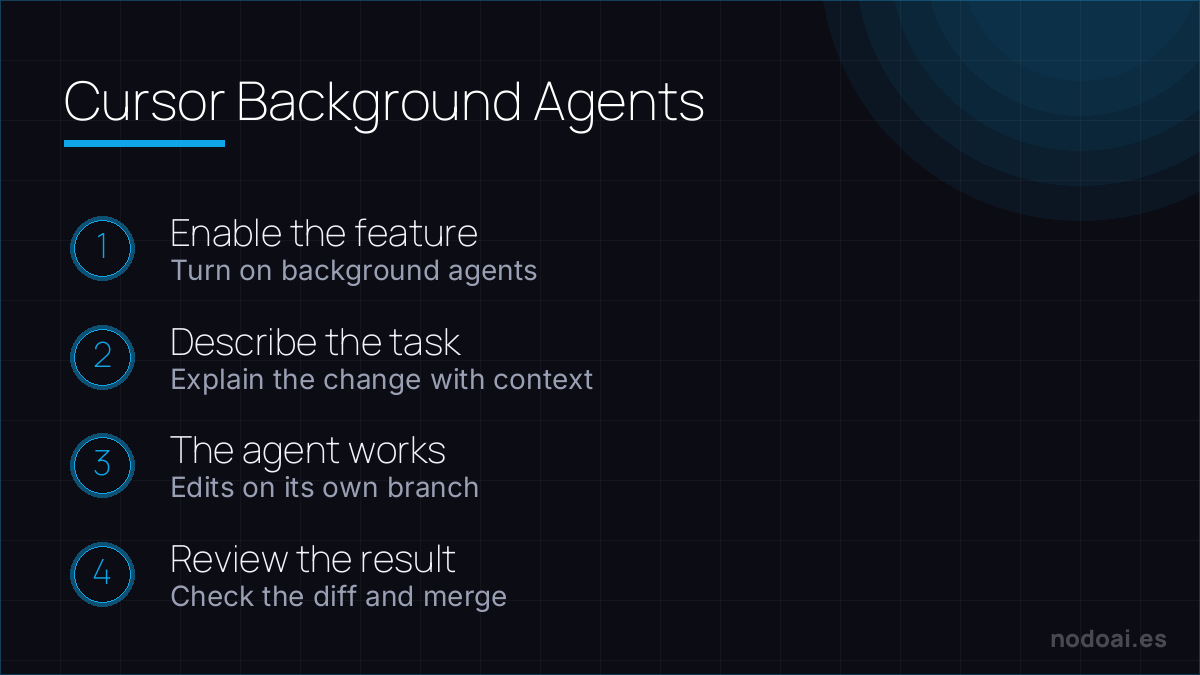
- Open your project in Cursor and make sure the agents feature is set up.
- Describe the task clearly: “add validation to the signup form and its tests” beats “improve the form”.
- Launch the agent in the background: it keeps working while you do something else.
- Review the result: the agent proposes changes (often as a pull request or a diff) that you approve, adjust or reject.
- Iterate: if it’s not what you wanted, give it specific feedback and let it fix it.
What they’re good for (and what not)
Good: bounded, repeatable tasks —adding tests, refactoring, implementing a function with clear requirements, mechanical changes across several files. With care: architecture decisions, critical or ambiguous changes. There the agent speeds you up, but the judgment and responsibility stay yours: always review before merging.
Best practices and caveats
- Give context and boundaries: the clearer the assignment, the better the result.
- Review the full diff: don’t approve blindly; an agent may touch more than expected.
- Work with version control: branches and PRs so you can revert easily.
- Mind sensitive code: review what access and permissions you give the agent.
Our take: when background agents genuinely help
- What they offer: delegating time-consuming tasks (refactors, migrations, tests) while you carry on with your work. Used well, they’re like having a tireless intern working in parallel.
- When we use them: for well-defined, scoped changes on a repo they know. The clearer the brief, the better the result.
- When not: for architecture decisions or delicate changes without supervision. Always review the diff: a confident agent is also confidently wrong sometimes.
Our stance: a real multiplier for mechanical tasks—always with a human review before you merge.
Frequently asked questions
What’s the difference from Cursor’s autocomplete?
Autocomplete suggests as you type; the background agent executes multi-step tasks on its own and returns the result for you to review.
Is it safe to let it touch my code?
Yes, if you work with version control and review the changes before merging. Don’t approve anything blindly.
Does it replace the programmer?
No. It speeds up mechanical tasks, but design, review and responsibility are the developer’s.
How does it differ from Copilot or Claude Code?
They compete in the same space with different approaches; the sensible move is to test which fits your workflow.
What’s new in 2026: Cloud Agent and Computer Use
- New name: Cursor renamed Background Agents to Cloud Agent in its 2026 documentation. Same idea: agents that run remotely in the cloud, not on your machine.
- Computer Use (February 2026): each agent now gets its own full desktop with a browser, so it can open your app, click through the UI and visually verify that its changes actually work.
- How it runs: it clones your GitHub repo into an isolated cloud VM, works on a separate branch and hands you the result as a pull request to review. No tool-call limits, and it never blocks your local machine.
Conclusion
- Cursor’s Background Agents execute coding tasks in the background while you move forward.
- They shine at bounded, repeatable tasks; for critical work, supervise closely.
- Always review the diff and work with branches and PRs.
- The judgment and responsibility for the code stay yours.
More in Copilot vs Cursor vs Claude Code and in how to code with AI.