You have the data (sales, customers, expenses) and you have the questions (“which product dropped this quarter?”). What you don’t have is SQL, the language databases speak. The good news in 2026: you no longer need it. AI translates your plain-language questions into correct SQL queries — and, even better, explains the ones that already exist. Here’s how to use it well and where the traps are.
What AI can do with SQL for you
- Write queries from scratch: “give me the 10 customers who bought the most in 2025, with their city” → the AI generates the SELECT with its JOINs and GROUP BY.
- Explain other people’s queries: paste that inherited 40-line SQL and ask “explain it line by line”. Gold for understanding old systems.
- Fix and optimize: “this query takes forever, how do I improve it?” — it usually spots missing indexes or badly planned JOINs.
- Translate between dialects: from MySQL to PostgreSQL or SQL Server without fighting syntax differences.
The method that works (the secret is the schema)
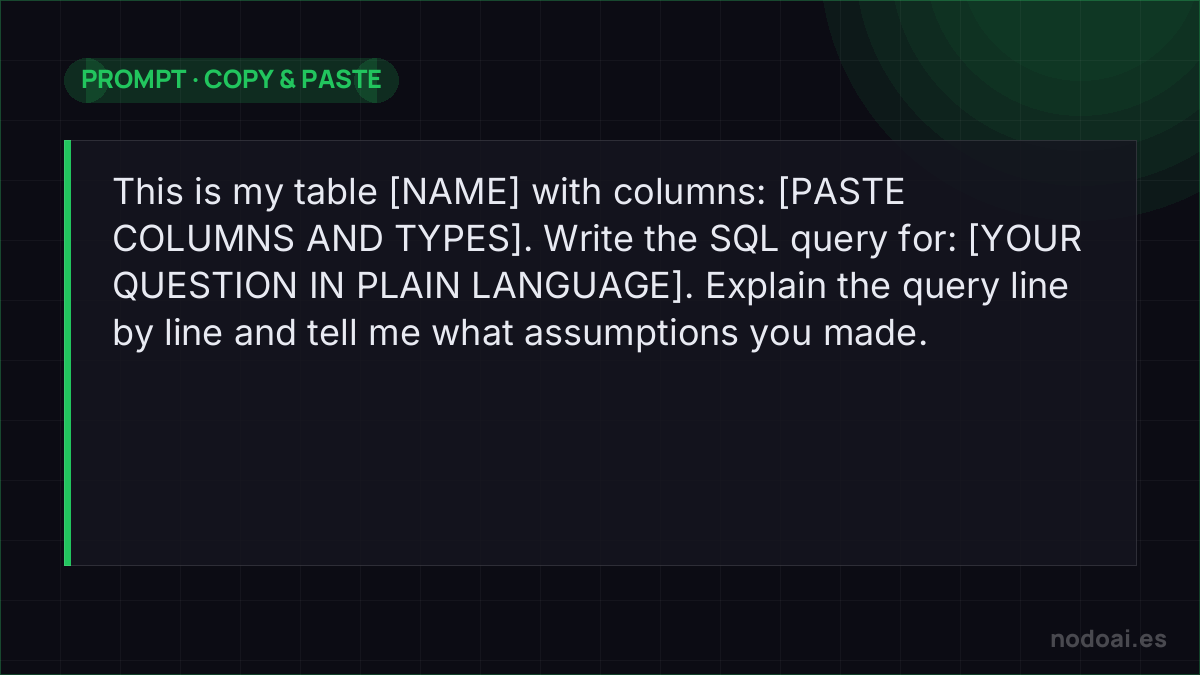
- 1. Give it the map: the AI can’t see your database; it needs the schema. Paste your table structure (table and column names, with a one-line description). Without this, it will invent names.
- 2. Ask in your language, with detail: “monthly sales for 2025, Spain only, excluding returns” beats “give me sales”.
- 3. Run in a safe environment: first on a copy or with a read-only user. Never debut a generated query directly in production.
- 4. Verify with a control question: also ask for a number you already know. If that comes out right, the query is probably well built.
Where to do it: from chat to connected tools
- In any chatbot (ChatGPT, Claude, Gemini): paste schema + question, copy the resulting SQL into your client. The universal flow.
- BI tools and AI editors: many database clients (and editors with Copilot-style AI) autocomplete SQL by seeing your schema directly.
- Direct connection via MCP: protocols like MCP let the AI query the database itself — powerful, but set read-only permissions.
From question to query without breaking your data
AI turns “how many customers bought twice last month?” into SQL in seconds — but a wrong query on a real database is dangerous. Work safely:
- Give it the schema: paste table names, columns and a couple of sample rows so it stops guessing.
- Read before write: always start with
SELECT; never let AI runUPDATEorDELETEunreviewed. - Test with LIMIT: run on a small slice first and check the numbers make sense.
Common trap: the query is correct but scans the whole table and hammers your database. AI is a great SQL tutor; the responsibility for what runs against production is yours.
Our take: the danger isn’t the SQL, it’s blind trust
- AI writes syntactically perfect SQL that answers the wrong question. Does “sales” include tax? Returns? Cancelled orders? Those business decisions must come from you.
- Golden rule: read-only. SELECT queries, yes; AI-generated UPDATE or DELETE, never without expert human review.
- The honest part: this doesn’t make you a data analyst, but it removes the language barrier with your own data. For 80% of everyday questions, it’s pure freedom.
Frequently asked questions
Can I paste real data into the AI?
Paste the schema (structure), not the data. If you need to paste sample rows, anonymize them — and review our privacy guide to configure your account first.
Does it work with Excel or Google Sheets?
Same concept: the AI writes formulas and pivot tables from your question. If your data lives in spreadsheets, we have a dedicated guide on AI in Excel and Sheets.
Conclusion
SQL used to be the toll for talking to your data; AI has made it optional. Start with simple questions and always verify. For the next level, see what MCP is and protect your data with the ChatGPT, Gemini and Claude privacy guide.