A Custom GPT is a version of ChatGPT you configure for one specific task: with its fixed instructions, its tone and, if you want, your own documents as a base. Instead of repeating the same long prompt every time, you set it up once and reuse it. This guide explains what it is, how to build one step by step, and when it’s genuinely worth it.
What it is and what it’s for
Picture ChatGPT, but “trained” for a job: an assistant that always answers in your brand’s tone, that knows your processes, or that follows a specific template. That’s a Custom GPT. You don’t program anything: you define it with natural-language instructions. It’s for tasks you repeat: writing in a specific way, answering questions about a manual, generating content in a fixed style.
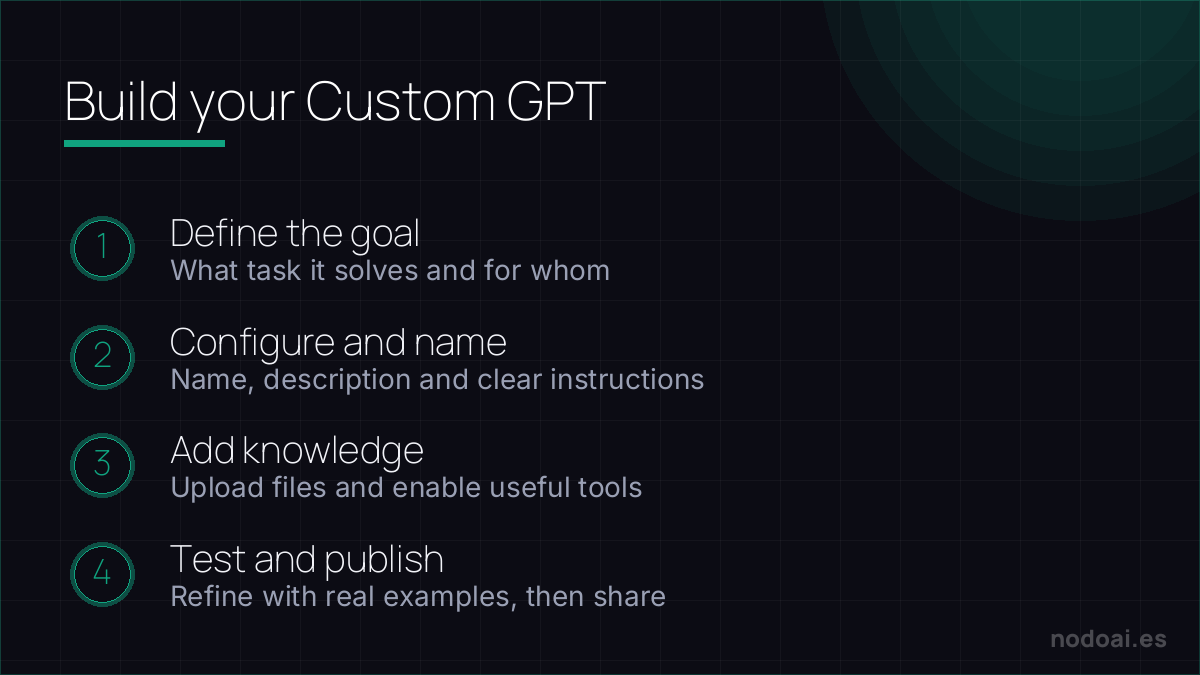
How to build one, step by step
- Define the task: be clear about what it will and won’t do. A GPT that does one thing well beats one that “does everything”.
- Write the instructions: give it its role, tone, the steps to follow, what to avoid and what format to answer in. This is the heart of the GPT.
- Add knowledge (optional): upload documents (PDFs, guides) so it answers based on them, not just its general memory.
- Test and tune: ask it real questions, see where it fails and refine the instructions. It almost always takes several rounds.
- Save it and use it: it stays available to reuse and, if you want, to share.
The secret: good instructions
A GPT is only as good as its instructions. Be specific: instead of “you are a marketing assistant”, write “you are a copywriter who writes short, warm emails with no over-the-top promises; you always end with a clear call to action”. Include examples of what you want and what you do NOT want. This is where your prompt engineering judgment makes the difference.
Custom GPT or a normal prompt?
| Situation | Better option |
|---|---|
| A one-off task | A good prompt in a normal conversation |
| A task you repeat daily | Custom GPT (you set it up once) |
| You need it to know your documents | Custom GPT with knowledge files |
| You want others to use it the same way | Shared Custom GPT |
Sharing and “selling” your GPT
You can keep the GPT private, share it by link with your team, or publish it. Some people build useful GPTs as a product or as a hook for their business. Note: you need a paid ChatGPT account to create them, and to use one, the other person also needs their own account. It’s not a program you distribute freely: it lives inside ChatGPT.
Limits and privacy
Two things to be clear on. First, a Custom GPT is still ChatGPT: it can be wrong and invent, so verify what matters. Second, the documents you upload as knowledge are processed on the platform; don’t upload confidential information without weighing the privacy guarantees (we cover this in this guide on AI privacy). For sensitive data, consider enterprise options.
Our experience creating custom GPTs
We’ve built several internal GPTs for tasks we kept repeating in the newsroom, and most of what we learned isn’t in the tutorials:
- The first GPT almost always fails because of instructions that are too polite. “You are a helpful assistant” is useless. The ones that work have concrete rules and, above all, examples of what we do NOT want. The jump in quality when we added three “not like this” examples was huge.
- Uploading documents as knowledge cuts inventions a lot, but only if they’re clean. A messy PDF confuses the GPT more than it helps; pasting already-cleaned text worked better for us.
- 90% of the value is in two or three GPTs you use daily, not in having twenty. We created many out of curiosity and in the end only the ones for genuinely repetitive tasks survived.
The conclusion we drew: a Custom GPT isn’t magic, it’s your judgement written down once so you don’t repeat it. If you couldn’t explain the task to a new colleague, you won’t be able to configure it for the GPT either.
Frequently asked questions
Do I need to know how to code?
No. A Custom GPT is built with natural-language instructions, no code. What you need is clarity about the task and good instructions.
Is it free to create a GPT?
Creating them requires a paid ChatGPT subscription. Once created, whoever uses it also needs their account. The setup itself has no extra cost beyond the subscription.
Can it use my own documents?
Yes. You can upload files as a knowledge base so it answers based on them. Be careful not to upload confidential information without guarantees.
How is it different from an AI agent?
A Custom GPT answers and generates within the conversation. An n8n-a-30minute-guide/">agent carries out tasks connected to other apps. The GPT is simpler; the agent, more autonomous.
Can you make money with a GPT?
As a direct product it’s limited (it lives inside ChatGPT), but it works well as a tool for your business or as a hook that shows your expertise.
Key takeaways
- A Custom GPT is ChatGPT configured for one specific task, no coding.
- Its value is in specific instructions and, optionally, your documents.
- Use it for what you repeat; for one-off tasks a good prompt is enough.
- It’s still ChatGPT: verify results and mind the privacy of what you upload.
You may also like: the ChatGPT guide for work and what prompt engineering is.