Creating a podcast in 2026 no longer requires a studio or editing skills. AI can help you at almost every step: brainstorming, scripting, voicing, cleaning the audio and even preparing the promo copy. Here’s how to do it end to end, with what genuinely works and the limits worth being clear about.
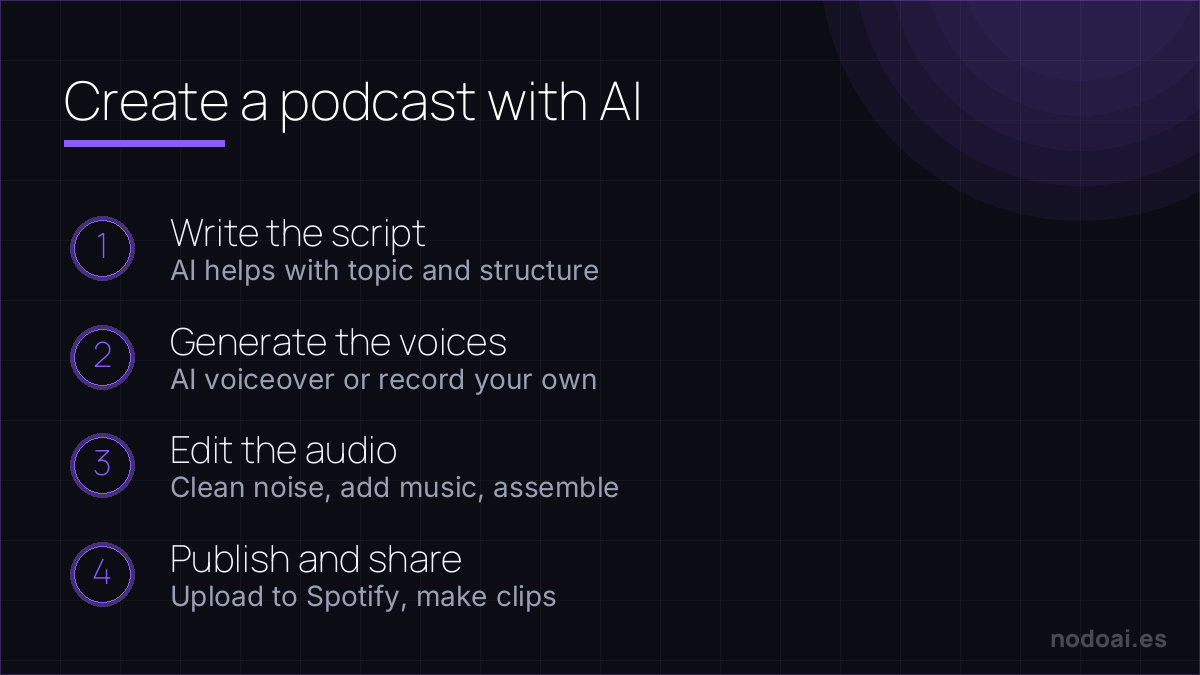
Where AI helps in a podcast
- Ideas and structure: topics, angles, an episode script and interview questions.
- Voice: narration with very natural AI voices if you don’t want to (or can’t) record yourself.
- Editing: removing filler words, silences and noise by editing the transcript text.
- Promotion: title, description, show notes, social posts and even subtitles.
How to create your podcast step by step
- Define the topic and format: monologue, interview or conversation; length and who you’re talking to.
- Script with AI, but bring your voice: ask for structure and a draft, and rewrite it so it sounds like you.
- Record or generate the voice: your real voice connects more; AI voice works for informative content or if you need several languages.
- Edit by text: with tools that edit audio by editing the transcript, cleaning up is lightning-fast.
- Prepare the promotion: generate title, description and notes, and adapt the content for social.
- Publish on your platform and measure which episodes work.
Our experience creating audio with AI
- What saves us the most time: transcript-based editing. Removing “ums” and silences by editing text completely changes how you assemble spoken content.
- The limit we notice: AI voice is fine for informative content, but in emotional or humorous material it sounds flat. There, your real voice wins.
- The mistake to avoid: letting AI write the whole episode. It comes out generic. Use it for the skeleton and bring the experience, the anecdotes and the opinion yourself; that’s what makes someone listen.
Our advice: AI takes the mechanical part off your plate (base script, editing, promo copy) so you can focus on what actually hooks people: having something to say and saying it in your voice. A podcast connects with people, not templates.
What to watch
- Voices and rights: never clone someone’s voice without permission; and check the licence if you use generated music or voices.
- Transparency: if you use a synthetic voice, it doesn’t hurt to say so.
- Verify the facts: if AI helps with the script, check whatever you claim in the episode.
The honest part: making it, then getting it heard
AI removes most of the technical barriers to a podcast — scripting, voices, editing. The harder, unglamorous half is distribution:
- Publish everywhere: one upload should reach Spotify, Apple and YouTube via a host that generates your RSS feed.
- Make it findable: a clear title, good show notes and short video clips do more for growth than perfect audio.
- Be consistent: a modest show that ships weekly beats a polished one that stops after three.
And a note on AI voices: if you use one instead of your own, say so — listeners forgive a synthetic voice, not a hidden one. The tech makes production easy; showing up and being worth listening to is still the job.
Frequently asked questions
Can I make a podcast without recording my voice?
Yes, with AI voices. They work well for informative content; to truly connect with the audience, your real voice still wins.
Do I need to know how to edit audio?
Less and less. Tools that edit by transcript let you clean the audio as if you were editing a document.
Conclusion
Creating a podcast with AI in 2026 is within anyone’s reach: the technology handles the mechanical part and you bring what matters, your voice and your judgement. Start simple and improve episode by episode. For the audio, see the best AI voice tools and how to make music with AI for your stingers.