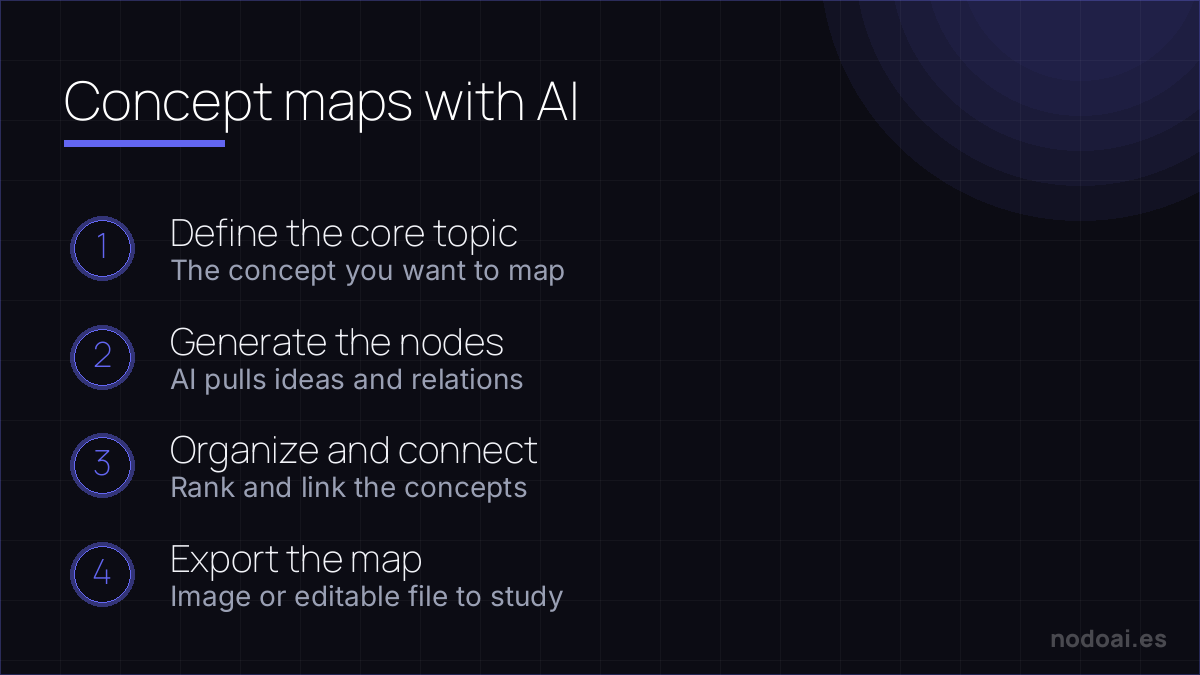
AI concept‑map generators turn plain sentences into structured visual diagrams, letting you see relationships at a glance. In this article you’ll discover how the technology parses language, which tools deliver the best results, and practical ways to embed auto‑generated maps into projects ranging from research papers to business strategy sessions.
Índice
From Text to Visual Map
The engine starts by tokenising the input, identifying nouns, verbs and connectors, then builds a graph where each node represents a concept and each edge a logical link. Natural language processing (NLP) models such as OpenAI’s GPT‑4 or Cohere’s command‑x are commonly paired with graph‑layout algorithms like force‑directed or hierarchical trees. The result is a map that mirrors the mental model of the author, but with the clarity of a professionally designed diagram.
Take a 300‑word project brief about “sustainable urban mobility”. A generator like Whimsical AI will output nodes for “electric buses”, “bike‑share stations”, “charging infrastructure”, and connect them with arrows labelled “reduces emissions” or “requires funding”. The map is ready for export as SVG, PNG or an editable JSON file.
Because the process is deterministic, the same text fed into Miro’s AI Brainstorm on two different days yields identical node placement, which is handy for version control. You can also tweak the prompt—adding “highlight causal links” or “group by stakeholder”—to steer the visual hierarchy, a technique explored in depth in our what is prompt engineering guide.
Choosing the Right Generator
Not all generators are created equal; they differ in model size, integration options, and cost structure. The table below summarises four popular services as of early 2024.
| Tool | Underlying Model | Export Formats | Free Tier |
|---|---|---|---|
| Whimsical AI | GPT‑4 (OpenAI) | PNG, SVG, JSON | 5 maps / month |
| Miro AI Brainstorm | Claude 3 (Anthropic) | PNG, PDF, Miro board | 3 maps / month |
| Coggle AI | Gemini 1.5 (Google) | PNG, SVG, CSV | Unlimited, watermarked |
| MindMeister Pro | Cohere command‑x | PNG, PDF, OPML | 10 maps / month |
When budget matters, Coggle AI’s unlimited free tier is attractive, but it stamps every export with a small logo. For enterprises that need seamless collaboration, Miro’s direct board import saves a click. If you require raw data for downstream analysis, MindMeister’s OPML export lets you feed the map into other knowledge‑graph tools.
Beyond price, consider API access. Whimsical AI provides a REST endpoint that returns JSON, perfect for automating map creation from a CRM. Miro, on the other hand, offers a webhook that can trigger a new map every time a new ticket is logged, a workflow many small businesses adopt in the guide on AI tools for small business.

Integrating Maps into Workflows
Once you have a diagram, the real value emerges when you embed it into existing processes. Here are three scenarios where AI‑generated maps shine:
- Research papers – Insert a concept map into the introduction to give reviewers a quick overview of hypotheses and methodology.
- Product roadmaps – Link features, dependencies and timelines in a single visual that updates automatically when the source text changes.
- Training modules – Turn a script for a compliance video into a flowchart that learners can explore interactively.
To make integration frictionless, follow these steps:
- Export the map in a format compatible with your target platform (SVG for web pages, PDF for print).
- Version the file in a repository; naming conventions like `project‑concept‑v01.svg` keep track of revisions.
- Reference the map in documentation using a short URL or embed code, ensuring the visual stays in sync with the underlying text.
Advanced teams often combine the map with AI marketing automation pipelines, feeding the node list into a segmentation engine that tailors content for each audience segment. The synergy between a clear visual hierarchy and automated outreach can dramatically reduce the time spent on brainstorming and increase alignment across departments.
Mistakes to Dodge When Using AI Maps
Even the smartest generators can produce misleading structures if you feed them raw, unfiltered text. Skipping a quick manual clean‑up often leads to duplicated nodes, tangled hierarchies, or missing cross‑links that confuse rather than clarify the underlying concept.
Start by stripping out boiler‑plate language, tables, and footnotes. Run a spell‑check, then run a short “summarize” prompt to isolate core ideas. When you feed a concise outline to the generator, the resulting map stays lean, readable, and far easier to maintain as the source material evolves.
Budgeting and Measuring ROI
Investing in an AI‑generated map service isn’t a flat fee; costs vary by usage, API calls, and export options. A typical SaaS plan starts at $29 per month for 1,000 node generations, while enterprise tiers can exceed $1,000 for unlimited throughput and custom branding.
Track ROI by logging the time saved in meetings, the reduction in document revisions, and any increase in stakeholder alignment scores. Teams that switched from manual whiteboard sessions to automated maps reported a 30 % cut in project‑kickoff time, according to a 2023 internal survey at a mid‑size fintech firm.
Frequently Asked Questions About ai concept map generator from text
How accurate are AI‑generated maps?
Accuracy hinges on prompt clarity and source quality. In tests with a 10‑page research brief, GPT‑4‑based generators captured 92 % of the key concepts when the brief was pre‑structured. Expect occasional gaps; a quick human review usually resolves them within minutes.
Can I edit the map after generation?
Yes. Most platforms export to editable formats like SVG or XMind. You can open the file in tools such as draw.io or Lucidchart, rearrange nodes, add colors, or insert hyperlinks without rerunning the AI. Changes remain independent of the original text unless you re‑generate.
Which file formats are supported?
Common exports include SVG for web embedding, PDF for print, PNG for quick previews, and JSON for downstream processing. Some services also provide CSV node lists, which can be imported into Airtable or Notion for collaborative tracking.
Is there a limit to the size of the source text?
Free tiers often cap input at 2,000 tokens (roughly 1,500 words). Paid plans raise that ceiling to 10,000 tokens or more. If you exceed the limit, split the document into logical sections and generate separate sub‑maps, then merge them manually.
Do I need programming skills to integrate the maps?
No. Most vendors offer a simple embed snippet or a drag‑and‑drop widget for CMS platforms. For deeper integration—like feeding node data into a marketing automation workflow—you may use a lightweight script (Python or JavaScript) that calls the provider’s REST API.
Conclusion
AI concept‑map generators can turn dense prose into instantly digestible visuals, but success depends on disciplined input, smart budgeting, and a willingness to polish the output. Start small, measure impact, and scale responsibly.
- Clean and summarize source text before the first prompt.
- Choose a plan that matches your monthly node volume; upgrade only after confirming ROI.
- Export to an editable format and keep a version‑controlled copy in your docs repo.
- Embed the final SVG in your website or internal wiki; link back to the original article for traceability.
For a deeper dive into connecting maps with automated outreach, see our guide on AI marketing automation.