An astronaut dinosaur, the family pet turned superhero, the castle your little one described yesterday… With AI you can generate personalised colouring pages in a minute: clean lines, print-ready and tailored to what each child loves. It’s one of the most rewarding (and cheapest) family uses of AI. Here’s how to make them well and get the most out of them.
Why it works so well
- Total personalisation: instead of the generic booklet, the exact drawing the child asks for: “a tractor with wings”, “a vet mermaid”. Motivation multiplies.
- Infinite and instant: out of drawings? Generate five more during snack time.
- Adjustable level: thick lines and simple shapes for little ones; fine mandala-style detail for older kids (and adults —colouring relaxes everyone).
How to generate them (the prompt that works)
- 1. Tool: any image generator works: ChatGPT’s or Gemini’s are perfect and free for this use.
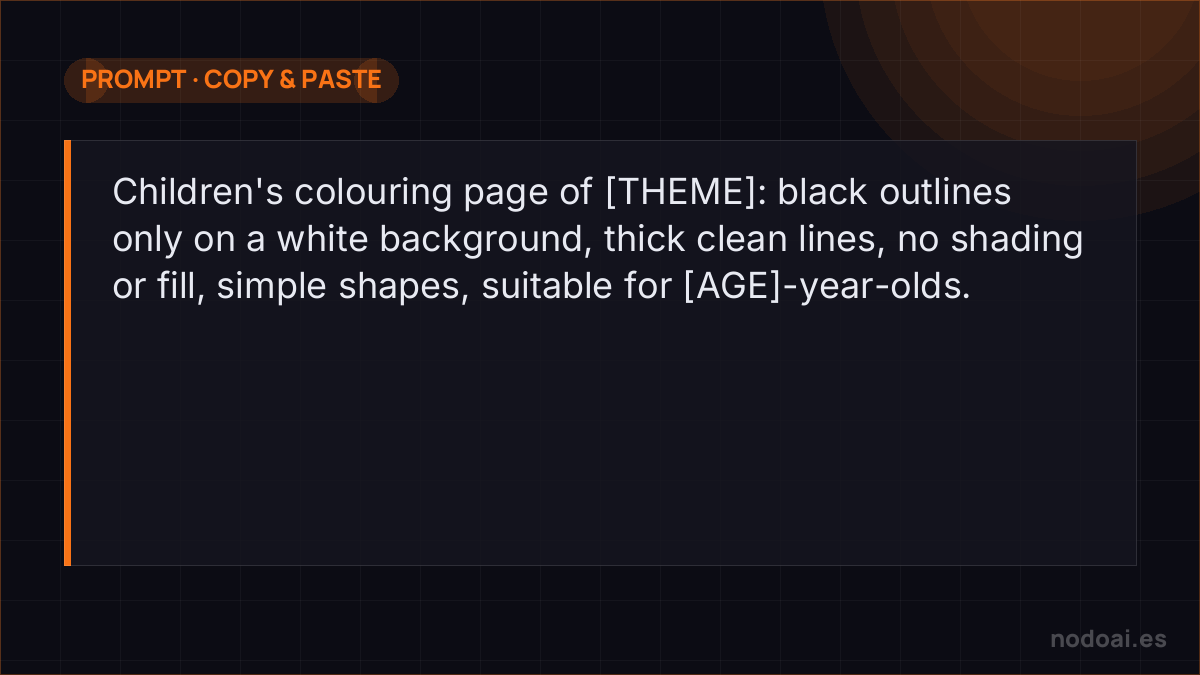
- 2. The base prompt: “Children’s colouring page of [THEME]: black outlines only on a white background, thick clean lines, no shading or fill, simple shapes, suitable for [AGE]-year-olds”.
- 3. Adjust the level: for little ones add “very simple, few lines”; for older kids, “more detail” or “mandala style”.
- 4. Print on A4: ask for portrait or landscape depending on the drawing and check the lines look right before printing in bulk.
Ideas that always win
- Their favourite story: generate the characters of the tale you’re reading them, scene by scene.
- Occasions: birthdays (“a giant cake with their name”), Christmas, holidays: the themed drawing on the spot.
- Party packs: ten drawings on the party’s theme, printed as a group activity. Guaranteed hit at zero cost.
- The “colour your photo” version: some tools turn a photo (their pet, their house) into an outline drawing. Colouring their own world delights them.
From prompt to a page that actually prints well
The trick to usable colouring pages isn't the idea — it's telling the AI how to draw for printing:
- Ask for the right style: “clean black outline, no shading, thick lines, white background, coloring book style”.
- Match the age: thicker lines and simpler shapes for young kids; finer detail for adults.
- Test print at real size before making twenty — thin lines that look fine on screen can vanish on paper.
For a birthday or classroom, generate a themed set with the same style prompt so they feel like one book. And if you plan to sell them, check the generator's licence for commercial use — not every plan allows it.
Our recommendation
- Review before printing: sometimes the AI sneaks in an odd element or badly closed lines; a two-second glance catches it.
- Copyrighted characters, better not: at home nobody will mind, but if you publish or sell sheets, use your own characters: movie favourites have owners.
- Our take: it’s the family AI use with the best effort-to-smile ratio we know. One prompt, one printer, afternoon sorted —and a lovely way to show kids what this AI thing is.
Frequently asked questions
Is generating colouring pages free?
Yes: the generators’ free plans allow several drawings a day, plenty for family use. You’d only pay if you generate sheets in volume.
Can I sell AI-made colouring sheets?
Some people do (colouring books on marketplaces), but check your generator’s commercial licence and use only your own characters and designs, never brands or movie ones. And remember: the pack’s quality and coherence make the difference.
Conclusion
Colouring pages with AI: a well-built prompt, clean lines and off to the printer. Personalise by age and by current obsession, review before printing and keep famous characters out. To master the generators, see the best AI image tools; and for more family fun with photos, creating stickers with AI.