Building a schedule is a small infernal puzzle: classes that can’t overlap, shifts that must rotate fairly, study hours to spread without burning out. It’s exactly the kind of constraint problem where AI shines: you give it the pieces and the rules, and it returns the schedule assembled —and reassembles the whole thing when something changes. Here’s how to ask for it properly for classes, study and work.
Why AI is so good at scheduling
- It handles crossed constraints: “maths can’t clash with gym, and I leave early on Fridays” — exactly what demands an infinite eraser by hand.
- It replans instantly: change one piece (“Tuesdays no longer work”) and it regenerates the whole schedule without drama.
- It outputs in the format you use: a printable table, a per-day list or ready to import into your calendar.
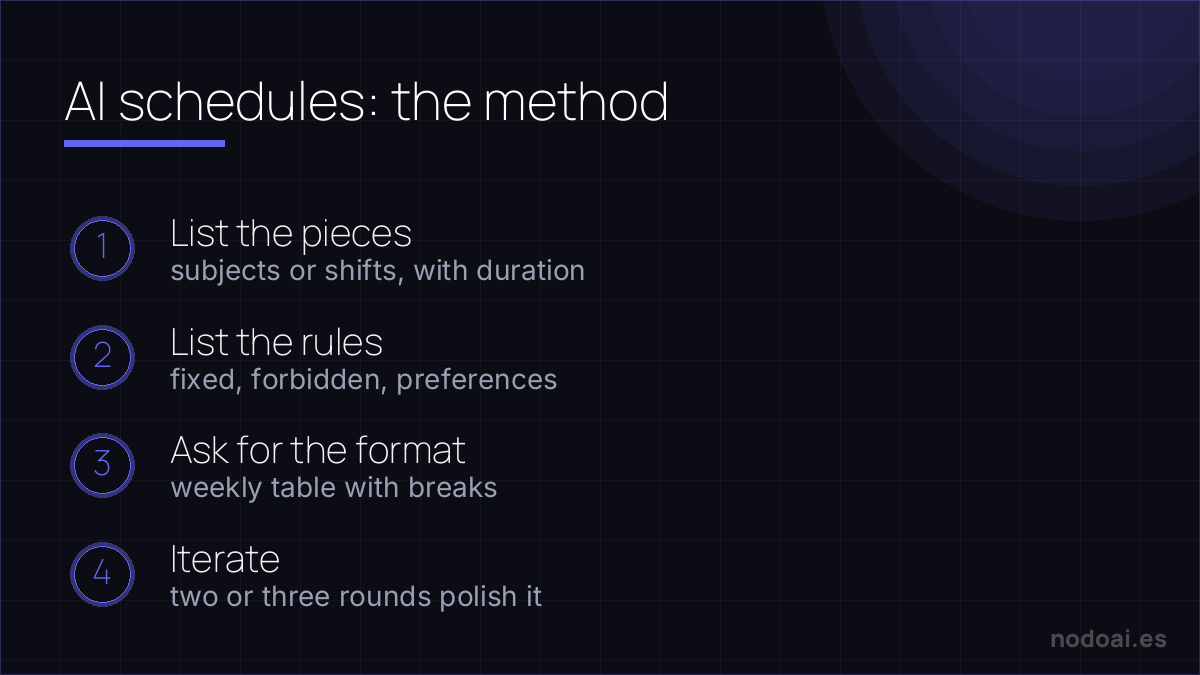
The method: give it the pieces and the rules
- 1. List the pieces: subjects/shifts/tasks with duration and frequency (“English 2h/week”, “3 morning shifts”).
- 2. List the rules: the fixed (immovable times), the forbidden (overlaps, days off) and the preferences (“hard stuff in the morning”).
- 3. Ask for the format: “weekly table Monday to Friday, 8:00 to 20:00, with 15-minute breaks between blocks”.
- 4. Iterate: the first schedule is never the final one. “Monday’s too packed”, “group study hours into 2-hour blocks” — two or three rounds and it’s polished.
Three concrete cases
- Study schedule (the most rewarding): give it your subjects, exam dates and available hours, and ask for spaced-review distribution: more time for what’s soon and hard, short reviews of what’s done. Pair it with how to study with AI.
- Class or activities schedule: the family puzzle of activities, pick-ups and homework, squared into a printable fridge table.
- Small team shifts: fair rotations, legal breaks and team preferences. AI proposes; you validate it meets labour rules —nobody delegates that.
Building schedules with AI: the method that avoids chaos
Scheduling (classes, shifts or study) is a constraints problem: people, availability, rooms and rules that clash. AI helps if you frame the problem well.
- List the rules first: write availability, incompatibilities and limits before asking for anything.
- Ask for options, not one: have it generate two or three grids and compare them.
- Check the clashes: AI gets overlaps wrong; validate the result cell by cell.
- Tools: from ChatGPT for simple cases to dedicated AI shift software for large teams.
It saves hours of trial and error, but you sign off the final schedule after checking nobody is in two places at once.
Our recommendation
- A chatbot is enough: for personal and family schedules you don’t need specialised apps: ChatGPT, Gemini or Claude with a good prompt solve it for free.
- Move it to your calendar: a schedule that isn’t in your calendar doesn’t exist. Ask for the result as an event list and import it, or copy it over once.
- Be realistic with hours: AI will happily square 12 daily study hours; making the plan sustainable is on you. Leave free slots on purpose.
- Our take: it’s an unglamorous use but among those that return the most real time: the puzzle that ate your Sunday afternoon, solved in ten minutes of conversation.
Frequently asked questions
Can it schedule a whole school or company?
For a classroom, a family or a small team, the chatbot is plenty. For dozens of teachers or large workforces with labour regulations, specialised scheduling software exists; general AI falls short at that scale.
How do I move it to Google Calendar?
Ask for the schedule as a list of events with day, start and end time, and add them to your calendar; for weekly repeating schedules, create the events as recurring once.
Conclusion
Scheduling with AI means handing over pieces and rules and letting it square the puzzle: classes, study or shifts, with free replanning when life changes. Apply it to studying with how to study with AI, organise the rest of your week with a chatbot like ChatGPT and build your second brain so nothing gets lost.