Translating a document isn’t translating loose sentences: it’s a PDF with tables that mustn’t break, a Word file whose formatting must survive, a contract where every nuance counts. AI has finally solved both halves of the problem —translation quality and format preservation— and today you can translate whole documents free and in minutes. Here are the best routes per document type and the mistakes to avoid.
The three routes, by document
- Document translators (DeepL, Google Translate): upload the file (PDF, Word, PowerPoint) and get the translated document back with its formatting: tables, bolds and structure in place. The fast lane for most cases.
- Chatbots (ChatGPT, Gemini, Claude): upload the document and ask for the translation with custom instructions: “keep technical terms in English”, “formal tone”, “adapt expressions to US English”. Maximum control over nuance.
- In chunks, for the delicate: in texts where every word matters, translate by sections and review each one; combine AI speed with your judgement.
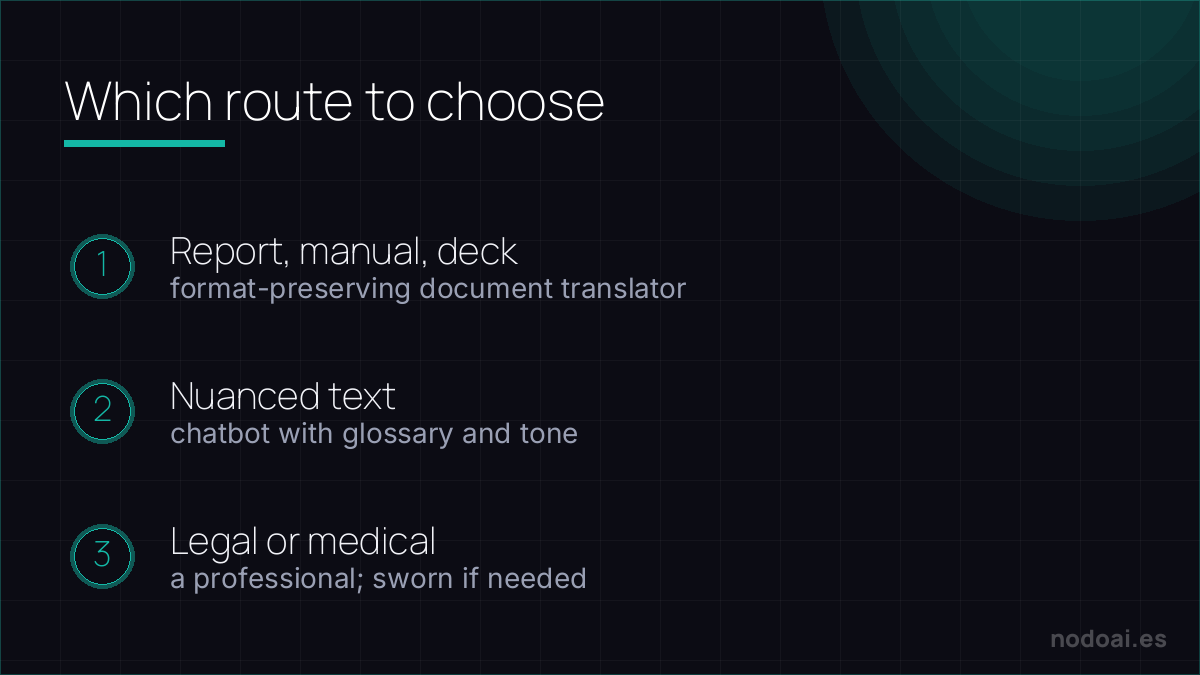
Which to choose (quick)
- Report, manual or presentation: document translator with formatting. Done in minutes.
- Nuanced text (marketing, academic): chatbot with tone instructions and a glossary.
- Contract or legal/medical document: AI as a first pass to understand it; the version with legal validity, always from a professional translator (sworn if needed). No gambling here.
Tricks that improve the result
- Give context: “it’s a technical plumbing manual for customers” produces a better translation than uploading the file cold.
- Set a glossary: if some terms must always translate the same way (or not at all), say so upfront: “keep ‘lead’ untranslated”.
- Check numbers and names: it’s where AI fails least, but where an error hurts most. Dates, figures and proper names: mandatory glance.
- Scanned PDFs: if the PDF is a photo of paper, it needs OCR first; many translators handle it, but check no text got eaten.
Keep the formatting, guard the confidentiality
Modern tools (DeepL, Google Translate, Word's built-in) translate a whole PDF or Word file while keeping the layout. Two things separate a usable result from a mess:
- Check the structure: tables, footnotes, captions and headers are where formatting breaks — skim the output, don't just export.
- Verify sensitive terms: legal, medical or technical vocabulary is where a wrong word costs the most.
And privacy matters: don't upload confidential contracts or personal data to free tools without knowing their data policy. For anything binding, an AI translation is a fast first draft — a human should confirm the parts that carry legal or safety weight.
Our recommendation (and the privacy note)
- For everyday use: DeepL documents for naturalness, with Google Translate as the free alternative without tight limits.
- Sensitive documents, sensibly: a contract or medical report carries personal data; check what the service does with your files or anonymise before uploading, as we explain in protecting your data when using AI.
- Our take: document translation is among the best-solved AI problems today: high quality, intact formatting and free for normal use. The only territory where it doesn’t replace a human is where the translation has legal consequences.
Frequently asked questions
Can I translate a whole PDF for free?
Yes: document translators allow several files free (with size or quantity limits depending on the service) and chatbots accept documents on their free plans. For big volumes, that’s where paid plans come in.
Is an AI translation valid for official paperwork?
No: authorities usually require a sworn translation signed by a certified translator. Use AI to understand the document and prepare the process, but commission the official version from a professional. This is guidance, not legal advice.
Conclusion
Translating documents with AI is now fast, faithful and free for normal use: format-preserving translator for the everyday, chatbot for nuance and a professional for the official. Pick your tool in the best AI translators, and if video is your thing, see how to translate and dub videos with AI.