Stickers are the language of chats: they say in one image what you don’t feel like typing. And now you don’t need to draw or hunt for someone else’s packs: with AI you create your own stickers —of your face, your pet or your group’s inside joke— in minutes. Here’s how to make them, with which tools, and the two rules worth respecting.
The ways to create stickers with AI
- From a photo: you turn a photo of yourself, your pet or an object into a styled sticker (cartoon, drawing, pixar…) with a cut-out background.
- From scratch with text: you describe what you want (“an astronaut cat saying good morning”) and an image generator creates it.
- Full packs: some apps generate several coherent stickers of the same character (different expressions) in one go.
The process, step by step
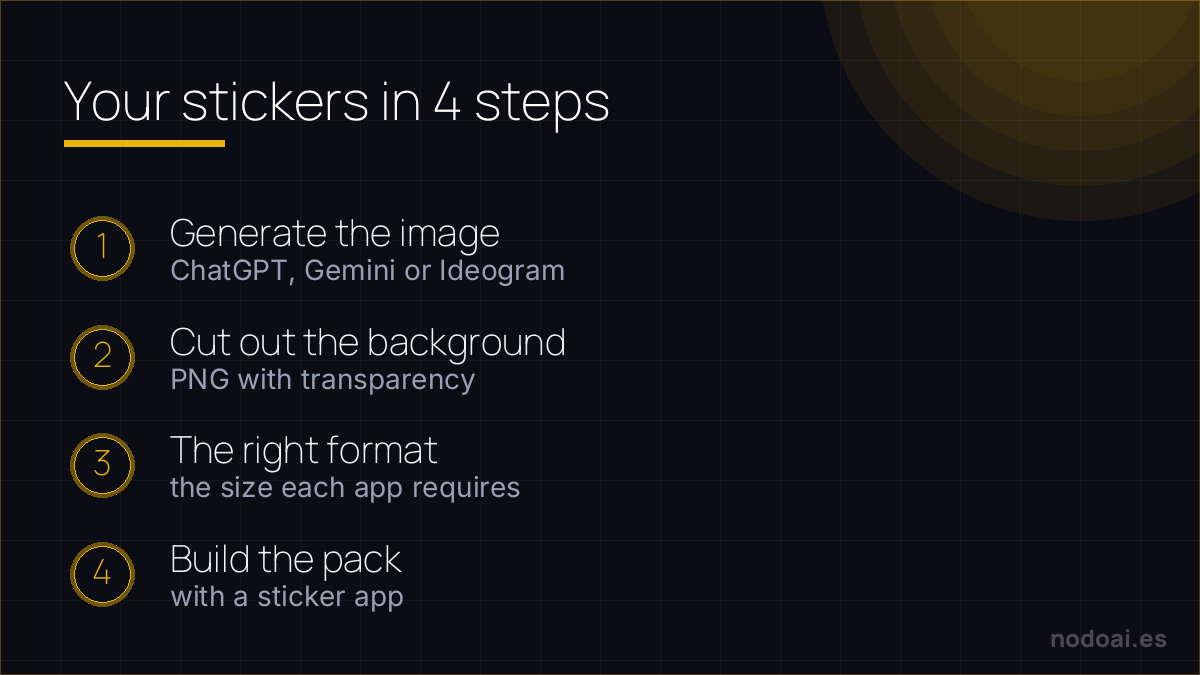
- 1. Generate the image: with a generator (like the ones in the best AI image tools) or a specific sticker app.
- 2. Cut out the background: a good sticker has no background (transparent). Many tools do it for you; if not, there are AI background removers.
- 3. Export in the right format: PNG with transparency; for WhatsApp/Telegram packs, respect the size each app asks for.
- 4. Add them to your phone: with a sticker-pack app you group them and use them in your chats.
Recommended tools
- Image generators (ChatGPT, DALL·E, Ideogram): to create the drawing from text; Ideogram is good if you want legible text on it.
- Specific sticker apps: they handle the cut-out, sizing and pack creation for WhatsApp or Telegram without fuss.
- AI background removers: to leave the image clean if the tool doesn’t do it for you.
Stickers that actually look good on WhatsApp and Telegram
The difference between a great sticker and a blurry mess is a few technical details AI needs from you:
- Ask for a transparent background and a bold, simple subject — stickers are tiny, so detail gets lost.
- Use the right format: WhatsApp wants 512×512 PNG with transparency; a thick outline helps it pop on any chat background.
- Make a set with one style so your pack feels intentional, not random.
For personal packs, generate away. If you plan to publish or sell a pack, check the generator's commercial licence and avoid recreating copyrighted characters — a Pokémon sticker pack is a takedown waiting to happen.
Our recommendation (and the two rules)
- Rule 1 — no copyrighted characters: making stickers of movie characters, brands or celebrities to share widely or sell enters copyright and image-rights territory. For your small group it’s one thing; publishing or selling them is quite another.
- Rule 2 — real people, with permission: turning someone’s face into a sticker when they wouldn’t find it funny isn’t cool (least of all for mockery). With your face or someone who gives permission, fun guaranteed.
- Quality: the stickers that work best are simple and read well small. Clean backgrounds and clear expression beat detail overload.
- Our take: it’s one of the most fun, low-risk uses of image AI, as long as you stay in your lane: your face, your pet, your jokes. There it’s pure joy.
Frequently asked questions
Can I make stickers of my pet?
Sure, it’s one of the things that works best: you upload several photos and AI generates versions in different styles and expressions. It’s your content, so no rights problem.
Do they work for WhatsApp and Telegram?
Yes. You need to export them as PNG with a transparent background and group them into a pack with a sticker app, respecting each platform’s required size. The process is simple and some apps automate it.
Conclusion
Creating stickers with AI is fast, fun and deeply personal: your face, your pet, your humour. Generate, cut out the background and build your pack. Respect the two rules (no copyrighted characters, no other people’s faces without permission) and enjoy. To pick a generator, see the best AI image tools; and to add motion, learn to animate an image with AI.
The key cut-out step, in depth: removing a photo background with AI.