You type the same instructions to AI over and over: “answer as an expert in X”, “use this tone”, “keep my business in mind”. There’s a better way: build your own custom assistant that already knows all of that. The big three allow it without coding: ChatGPT’s Custom GPTs, Gemini’s Gems and Claude’s Projects. Here’s how they work, how they differ and how to build yours in ten minutes.
What a custom assistant is (and why it saves you time)
- The idea: instead of repeating context in every conversation, you save it once —instructions, tone, examples, documents— and the assistant applies it always.
- The real saving: it’s not just typing less; answers come out right the first time because the AI already knows your case.
- No coding: all three are set up by filling a form: name, instructions and, optionally, reference files.
Custom GPTs (ChatGPT): the most complete
- Where: in ChatGPT, “Explore GPTs” → “Create”. You write the instructions, upload knowledge files and can enable browsing, images or code.
- The differentiator: you can publish your GPT for others to use, and even connect it to external services through actions.
- Who it’s for: if you want to share your assistant or hook it to other tools, it’s the most mature option.
Gems (Gemini): the most integrated with Google
- Where: in Gemini, “Gems” section → create new. You define instructions and can add files.
- The differentiator: it plays nicely with the Google ecosystem (Drive, Gmail, Docs), useful if you live in Workspace.
- Who it’s for: Google users who want a helper with their context without leaving their suite.
Projects (Claude): the best for working with documents
- Where: in Claude, “Projects” → new project. You add custom instructions and a knowledge base with your files.
- The differentiator: Claude’s long context shines here: you can load extensive documentation and the project keeps it in mind in every chat.
- Who it’s for: serious document work —reports, contracts, manuals— and teams sharing one project.
When a custom assistant beats a good prompt
A saved prompt is fine for a one-off; a Custom GPT (or Gemini Gem, or Claude Project) pays off when you do the same task repeatedly:
- Build one when you keep re-pasting the same instructions, context or reference files — bake them in once and just talk.
- Which platform: Custom GPTs for the ChatGPT ecosystem and sharing, Gems inside Google/Gemini, Projects in Claude for keeping a body of work and files together.
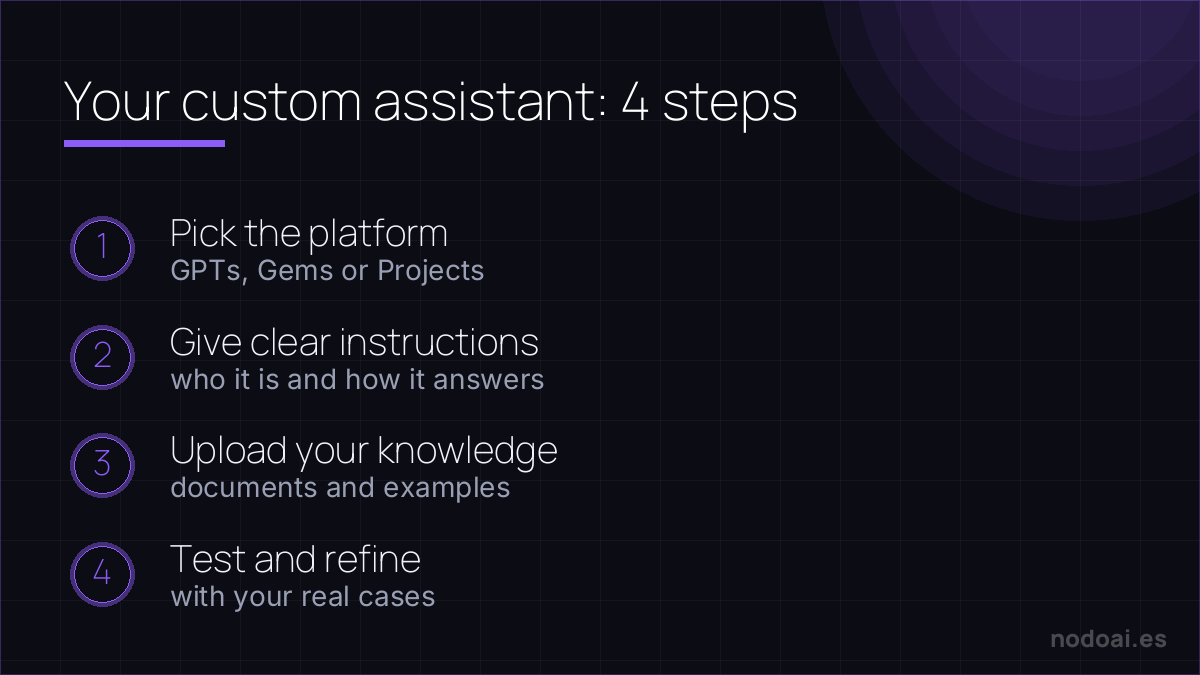
The trick that separates a great one from a gimmick: give it clear instructions and the reference material it needs, then refine with real examples of where it went wrong. A custom assistant is only as good as the context you feed it.
Our recommendation
- Start with the platform you already pay for. All three do the essentials well; your ecosystem makes the difference.
- The key isn’t the tool, it’s the instructions: invest time explaining who you are, what you want and how you want it. One assistant with good instructions and examples beats ten generic ones.
- Watch what you upload: don’t put confidential client data in the knowledge base without reviewing your account’s privacy settings.
Frequently asked questions
Do I need the paid version?
To create your own GPTs in ChatGPT you do need a paid plan; Gems and Projects offer options on free plans too, with limits. Using GPTs created by others is possible on ChatGPT’s free plan.
Can I make money with a GPT?
OpenAI has experimented with revenue sharing in its GPT store, but don’t count on it as a business model: the real value is using them to work better or as a showcase for your services.
Conclusion
A custom assistant turns generic AI into YOUR tool. To squeeze it, first learn what prompt engineering is, and protect what you share with our guide to privacy on ChatGPT, Gemini and Claude.