Translating and dubbing a video used to cost time and money: translator, voice actor, studio, syncing. With AI you can subtitle into dozens of languages and even dub with a voice that sounds natural in minutes. But there’s nuance between “AI does it” and “it looks professional”. This guide explains the methods that work in 2026, how to do it step by step, and the quality, rights and consent cautions.
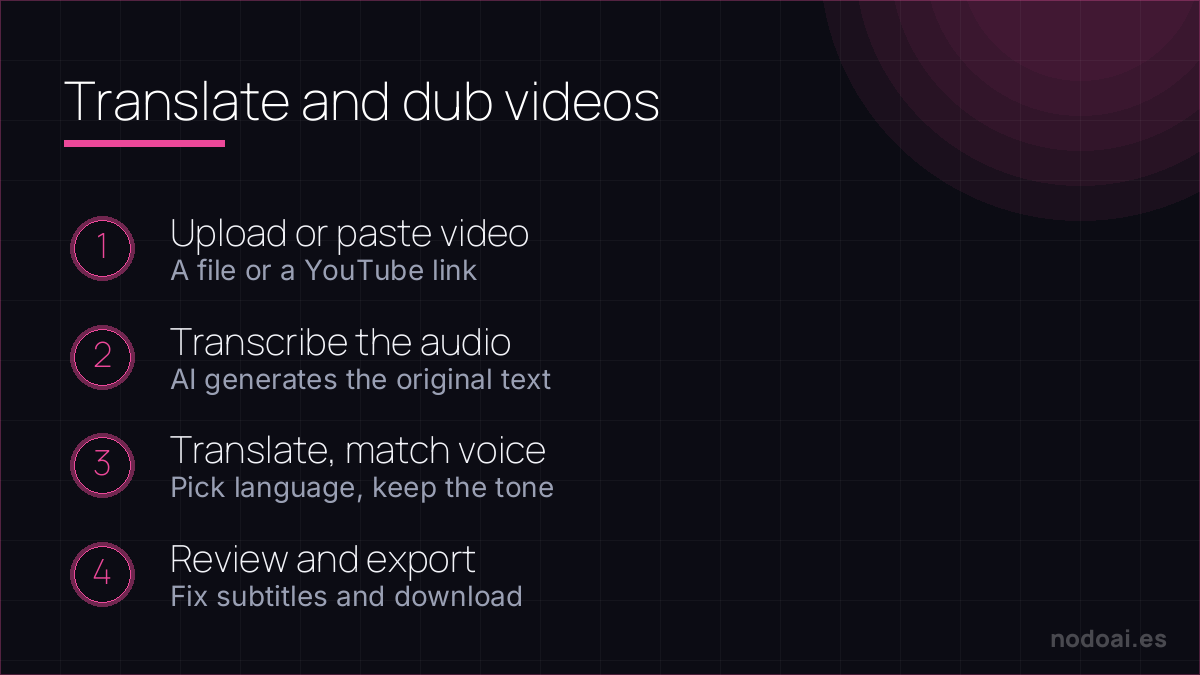
Subtitling, dubbing or voice cloning: not the same thing
- Translated subtitles: the fastest and safest. AI transcribes, translates and generates subtitles. It keeps the original voice; ideal for international reach without losing authenticity.
- AI voice dubbing: replaces the audio with a synthetic voice in another language. Useful for training and informational content; it gains naturalness every year.
- Voice cloning: dubs while keeping your voice in another language. The most impressive… and what needs the most legal care (see below).
How to do it step by step
- Transcribe: AI turns audio into text. Review errors, especially names and technical terms.
- Translate with judgment: machine translation is a starting point; fix expressions, tone and double meanings.
- Generate subtitles or voice: export subtitles (SRT) or create the dub with the chosen voice.
- Sync: adjust timing so the text or voice matches the image.
- Review the whole result: watch it in full before publishing. This is where you catch the flaws.
What AI does well and where it fails
AI is excellent at speed and major languages. Where it fails: cultural nuance, humor, wordplay, proper names and slang. In less common languages quality drops. And AI dubbing can still sound flat in very emotional content. Golden rule: AI does 80% of the work in minutes; that 20% of human review is what separates amateur from professional.
Rights and consent (the important part)
Two serious cautions almost nobody mentions:
- Cloning a voice requires permission: cloning someone else’s voice without their consent can be illegal and is certainly unethical. Only use cloning with your own voice or with explicit authorization.
- Rights to the original video: translating or dubbing someone else’s content doesn’t give you rights to it. Work with your own material or with a license to redistribute.
Also, check the tool’s privacy policy: don’t upload confidential videos without processing guarantees.
When AI is enough and when it isn’t
| Content type | Recommendation |
|---|---|
| Tutorials, training, informational | AI + human review: usually enough |
| Marketing and brand | AI for the draft, professional language review |
| Film, fiction, emotional content | Human dubbing; AI doesn’t yet reach acting nuance |
| Fast international reach | Translated subtitles (fast, cheap, faithful) |
What we learned translating and dubbing video
We’ve taken our own video into other languages with AI, and the reality has nuances the demos don’t show:
- Translated subtitles are almost always the best starting point. Fast, cheap and they keep your real voice. For international reach without complications, that’s the first thing we turn on.
- AI voice dubbing works for informational content, but shows in emotional material. In a tutorial it passes fine; in something with tone or humor, the synthetic voice sounds flat and we end up dropping it.
- What we never skip: reviewing the translation. Proper names, jargon and double meanings are where AI slips, and a mistake there exposes you in front of an audience you can’t control.
Our rule: AI does 80% in minutes; that 20% of human review is what separates “understandable” from “looks professional”.
Our experience translating and dubbing video
We’ve taken our own video into other languages with AI, and the reality has nuances the demos don’t show:
- Translated subtitles are almost always the best starting point. Fast, cheap and they keep your real voice. For international reach without complicating things, it’s the first thing we turn on.
- AI voice dubbing is fine for informative content, but it shows in emotional content. In a tutorial it passes without issue; in something with tone or humour, the synthetic voice sounds flat and we end up dropping it.
- What we never skip: reviewing the translation. Proper names, jargon and double meanings are where AI slips up, and a mistake there exposes you in front of an audience you can’t control.
Our rule: AI does 80% in minutes; that 20% of human review is what separates “understandable” from “looks professional”.
Frequently asked questions
Can I dub a video keeping my voice?
Yes, with voice cloning: AI reproduces your voice speaking another language. Use it only with your own voice or with the person’s explicit permission; without consent it can be illegal.
Is it free?
There are free plans for subtitles and trials. Quality dubbing and voice cloning usually require payment, especially for long videos or commercial use.
Is the translation reliable?
It’s a good starting point, but always review: AI fails on nuance, humor and names. For published content, human review is essential.
Can I translate someone else’s video?
Only if you have rights or a license to that content. Translating it doesn’t grant you rights to the original.
Does AI dubbing sound natural?
Increasingly so, especially for informational content. In very emotional scenes it still shows; there, human dubbing still wins.
Worth remembering
- Three paths: translated subtitles (the safest), AI dubbing and voice cloning.
- Workflow: transcribe → translate with judgment → generate → sync → review in full.
- Clone a voice only with consent and work with your own or licensed video.
- AI does 80%; human review is what makes it professional.
Keep reading: the best AI voices and the best AI video generators.