You’ve got an 80-page PDF, a dense report or an endless contract, and you need the key points in five minutes. AI does exactly that: it summarizes long documents in seconds. But doing it well —without inventing data or dropping what matters— takes some technique. This guide explains the methods that work in 2026, how to pick the right one, and the cautions so you can trust the summary.
The 3 methods that work
Not every document is summarized the same way. Depending on size and what you need it for, there are three paths:
- Upload the PDF to a chatbot (ChatGPT, Claude, Gemini): the fastest. You drag the file and ask for the summary. Ideal for medium-sized documents and for follow-up questions (“what does it say about X?”).
- Tools that work over your documents (like NotebookLM): built to work with one or several files at once, citing where each answer comes from. The best option for studying or research without invention.
- Dedicated summarizers: specific tools that process long PDFs in one pass. Useful when you just want the summary and don’t need to chat.
How to do it step by step
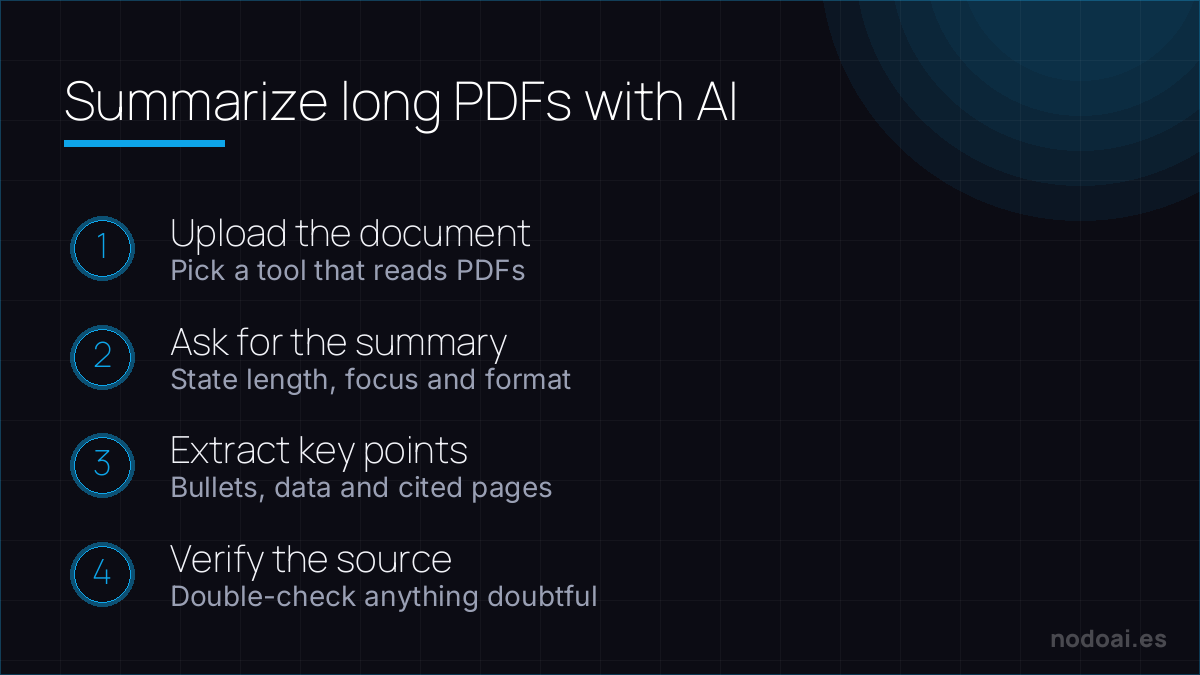
- Prepare the file: make sure the PDF has selectable text. If it’s a scan (an image), run it through OCR first or use a tool that recognizes it; otherwise the AI can’t “read” the image.
- Give context in the prompt: don’t just say “summarize this”. Say what it’s for: “summarize in 10 points for a meeting”, “extract only the obligations and deadlines”, “explain it to me as if I didn’t know the topic”.
- Ask for structure: a summary in bullets, with sections or a table, is far more usable than a dense paragraph.
- Follow up: the real value is in the conversation afterward: “what page does it say that on?”, “is there a risk you didn’t mention?”.
Which method to choose
| Need | Best method |
|---|---|
| Quick summary + ability to ask | Chatbot with file upload |
| Study/research with citations and no invention | Document tool (NotebookLM) |
| Several documents at once | Document tool |
| Just the summary, no chatting | Dedicated summarizer |
| Very long document (hundreds of pages) | Split by chapters or use a tool with a wide context window |
Caution number one: verify
AI can omit a key nuance or invent a fact with full confidence. For a casual informative summary that’s fine; for something important —a contract, a medical report, a business decision— the summary is a starting point, not the final truth. Cross-check critical data against the original document. Tools that cite the page or fragment behind each statement make that check far easier.
Privacy: where you upload the document matters
Before uploading a PDF with personal, financial or confidential data, think about where it ends up. Check the tool’s policy: does it use your document to train its models? For sensitive information, use options that guarantee your data won’t be reused, or tools that process locally. Never upload confidential company or client documents to a personal account without guarantees.
The size limit
Every model has a maximum amount of text it can “read” at once (its context window). With enormous documents, it either fails or summarizes superficially. The practical fix: split it by sections or chapters and summarize each, or use a tool designed for long documents. A summary of a summary loses detail: do it in blocks with judgment.
Our experience summarizing real documents
We summarise reports, studies and technical documentation almost daily, and there are a couple of lessons you only learn by doing it:
- With PDFs over 100 pages, the “one-pass” summary is deceptive. It looks nice, but when you check it, it has usually skipped nuances from the central chapters. Since we started splitting by section and summarising each one, the summaries stopped having gaps.
- The question that pays off most is “what haven’t you mentioned that’s important?”. That’s where the model surfaces what it had left out, and where more than once it has saved us from publishing a half-told fact.
- For studying or citing, a tool that answers about the document and shows the page always wins. Being able to verify the source in two clicks completely changes your trust in the summary.
The rule we follow in the newsroom: if the document matters, the AI summary is the draft we start reading from, never the final word.
Frequently asked questions
Can I summarize a PDF for free?
Yes. The free plans of the main chatbots and of tools like NotebookLM let you upload and summarize documents, with some size or usage limits. For high volume, paid plans give more capacity.
Does it work with scanned PDFs?
Only if the text is recognizable. A scan is an image: it needs to go through OCR first, or use a tool that does it. Otherwise the AI can’t read its content.
Can I trust the summary?
As support, yes; as absolute truth, no. AI can omit nuance or invent. Always verify critical data against the original, especially in legal, medical or financial documents.
Is it safe to upload private documents?
It depends on the tool. Check whether it uses your data for training and, for sensitive information, use options with privacy guarantees or local processing.
What do I do with a document of hundreds of pages?
Split it by chapters and summarize each, or use a tool with a wide context window built for long documents. Summarizing everything at once usually gives superficial results.
In short
- Three methods: chatbot with upload, document tool (with citations) and dedicated summarizer.
- Give context in the prompt and ask for structure (bullets, table).
- Always verify critical data against the original.
- Mind privacy and split very long documents.
Keep reading: NotebookLM, the AI that understands your documents and the AI productivity system.
Related: how to study with AI: methods that work.