You can summarize study notes with AI by feeding the raw text into a generative model that condenses the content while preserving key concepts. In the next few minutes you’ll discover which tools handle long‑form notes most efficiently, how to craft prompts that extract exactly the details you need, and practical ways to stitch the AI‑generated summaries into your daily revision routine. Expect concrete examples, a side‑by‑side comparison of the leading summarizers, and a short checklist you can start using tonight.
Índice
Choosing the Right AI Summarizer
Selecting an AI summarizer isn’t just about brand name; it’s about matching the model’s capabilities to the density of your notes and the speed you need. A tool that can handle 10,000‑token inputs will spare you from manual chunking, while pricing determines whether you can use it daily. Below is a snapshot of the most popular options as of 2024.
| Tool | Model | Max Input (tokens) | Cost per 1k tokens | Strengths |
|---|---|---|---|---|
| ChatGPT | GPT‑4o | 128 k | $0.015 (input) / $0.06 (output) | Strong reasoning, multilingual |
| Claude | Claude 3.5 Sonnet | 200 k | $0.003 (input) / $0.015 (output) | Low hallucination, good at bullet lists |
| Gemini | Gemini 1.5 Flash | 100 k | $0.001 (input) / $0.004 (output) | Fast, integrates with Google Workspace |
| Perplexity | Llama‑3.1‑70B | 30 k | Free tier, $0.002 (pay‑as‑you‑go) | Open‑source vibe, great for research queries |
Costs are approximate and refer to the 2024 public pricing.
For most university students, Claude’s generous token limit and affordable rates make it the sweet spot for semester‑long note piles. If you already use Google Docs, Gemini’s native integration can shave minutes off every export. And when you need a quick, no‑cost check, Perplexity’s free tier is surprisingly competent.
Prompt Crafting for Effective Summaries
Even the most powerful model will produce a vague recap if the prompt is vague. By telling the AI exactly which headings, bullet points, or formulas you need highlighted, you turn a generic dump into a study‑ready cheat sheet. Mastering this skill is essentially prompt engineering. You can read more about the discipline in our guide on what is prompt engineering.
A well‑structured prompt follows a simple pattern:
- State the purpose (e.g., “Create a concise revision guide”).
- Specify the format (e.g., “bullet points under each chapter heading”).
- Indicate length limits (e.g., “no more than 150 words per section”).
For a biology chapter on cellular respiration, a prompt might read:
“Summarize the glycolysis, Krebs cycle, and oxidative phosphorylation steps in bullet form, each under a bold heading, and include the main enzymes and ATP yield. Keep the total under 200 words.”
When you feed this to Claude, the output typically respects the headings and provides the exact enzyme names you need for your flashcards.

Integrating Summaries into Your Study Workflow
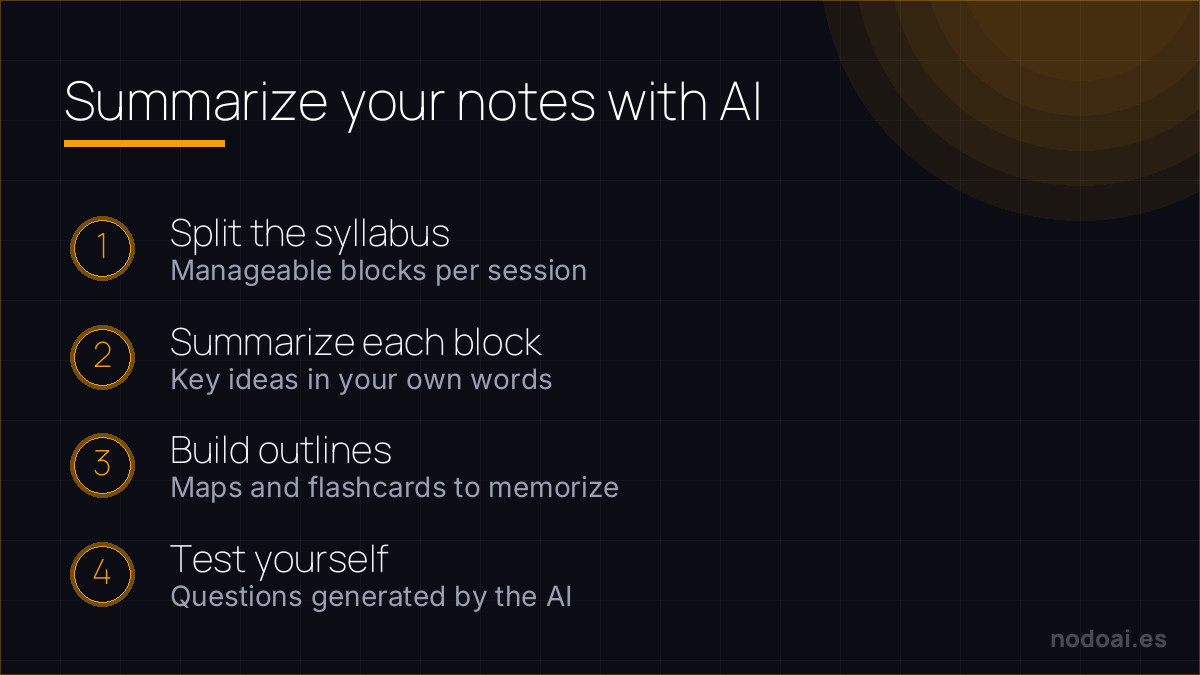
Once you have a crisp summary, the next step is to feed it back into your revision cycle without breaking momentum. Embedding the output in spaced‑repetition apps or linking it to your digital notebooks keeps the knowledge fresh and searchable. This creates a feedback loop that sharpens retention.
A practical workflow looks like this:
- Generate the summary in your chosen AI tool.
- Copy the result into a note‑taking app such as Notion or Obsidian, using tags like `#summary` and `#exam2024`.
- Export the note to Anki or Quizlet for spaced repetition, preserving the bullet hierarchy.
If you’re already using a cloud suite, Gemini lets you push the summary directly to a Google Doc, where you can add comments or link to related lecture slides. For students who prefer open‑source ecosystems, Perplexity’s API can be scripted to auto‑populate markdown files in a Git‑tracked study repo, ensuring every revision is version‑controlled. This seamless integration means you spend less time shuffling files and more time testing yourself on the material.
Common Mistakes to Avoid When Using AI Summaries
Many students treat AI output as a finished product, copying it verbatim into flashcards. This habit can embed subtle errors—mis‑named pathways, omitted cofactors, or swapped reaction directions—because the model occasionally hallucinates details it has never seen. A quick sanity check against your textbook or lecture slides catches these slips before they become entrenched misconceptions.
Another frequent slip is over‑prompting. Feeding a whole chapter at once overwhelms most models, leading to vague overviews rather than crisp, test‑ready nuggets. Break the material into 2‑3 page chunks, request “key enzymes and their regulation” and then “clinical relevance,” and you’ll get focused, modular summaries that slot neatly into spaced‑repetition decks.
Cost Considerations and ROI
AI‑powered summarizers range from free browser extensions to subscription‑based platforms charging $10‑$30 per month for premium models. While a free tier might limit output length, a modest paid plan often unlocks higher token limits, faster response times, and custom prompt templates—features that shave minutes off each study session.
Calculate ROI by tracking hours saved: if a student cuts 30 minutes per 10‑page lecture, that’s 15 hours saved per semester. At $15/month, the tool pays for itself after a single semester, especially when those saved hours translate into higher grades or reduced tutoring costs.
Our experience summarizing study notes with AI
- Where it helps most: condensing dense chapters into clear outlines and pulling out the key ideas for a quick first review.
- The warning that matters: verify the summary against the original. AI sometimes skips a nuance or oversimplifies exactly what was going to be on the exam.
- The study mistake: stopping at the summary. It’s good for the map, not for replacing deep study of what actually comes up.
Our advice: use the summary as an index and first contact, then revise actively (quiz yourself, explain it out loud). Summarising is the start of studying, not the end.
Frequently Asked Questions About summarize study notes with ai
How accurate are AI‑generated summaries for complex subjects?
AI models excel at extracting high‑level concepts but can miss nuance in dense topics like organic mechanisms or advanced calculus. Cross‑reference the output with primary sources—textbooks, peer‑reviewed articles, or professor notes—to verify precision. Expect 80‑90 % accuracy for well‑documented material, but treat every summary as a draft, not a final answer.
Can I use AI summaries for collaborative study groups?
Yes. Export the summary to a shared Google Doc or a Notion page and invite teammates to comment. Collaborative editing surfaces gaps—one member may spot a missing step in a metabolic pathway that another missed. This collective vetting improves both comprehension and the quality of the final study set.
Do AI tools respect data privacy for my lecture slides?
Most reputable services encrypt data in transit and delete it after processing, but policies vary. Review the provider’s privacy statement; look for clauses about “no storage” or “temporary caching.” For highly sensitive content, run the model locally using open‑source alternatives like Llama‑2, which keep all data on your machine.
How often should I regenerate summaries as the syllabus evolves?
Whenever new concepts are introduced or existing ones are revised—typically after each lecture or lab session—run a fresh summary. Updating your notes weekly prevents drift between the AI output and the current curriculum, ensuring your flashcards stay aligned with exam expectations.
Is there a risk of becoming too dependent on AI for note‑taking?
Relying exclusively on AI can dull active listening skills. Use the tool as a scaffold: first attempt your own outline, then let the AI fill gaps or rephrase. This hybrid approach reinforces comprehension while still granting the efficiency boost that AI provides.
Conclusion
Integrating AI summarization into your study routine can streamline revision, but only if you pair it with critical review and smart budgeting. Treat AI as a co‑author, not a replacement, and you’ll reap the speed benefits without sacrificing depth.
- Break materials into 2‑3 page prompts and generate focused summaries.
- Verify each output against primary sources before adding to flashcards.
- Choose a paid plan only if it demonstrably saves you ≥5 hours per month.
- Set a weekly reminder to refresh summaries as the syllabus changes.
For a deeper dive into crafting effective prompts, see our guide on what is prompt engineering.