
Planning a trip is exciting until you open twenty tabs, three blogs and a map full of pins with no idea what fits with what. AI won’t book for you, but it turns that chaos into a tidy day-by-day itinerary in minutes, tailored to your pace, budget and tastes. Here’s how to really get value from it —and what to always check before booking.
What AI does well on a trip
- It builds the skeleton: give it destination, days and style and it returns a day-by-day itinerary with morning/afternoon/evening blocks you can reorder.
- It groups by area: it optimises so you don’t cross the city five times; it clusters what’s nearby, which is where you lose the most time by hand.
- It adapts to you: “fewer museums, more nature”, “with kids”, “gluten-free”, “tight budget”… it rewrites the plan instantly.
The prompt that makes the difference
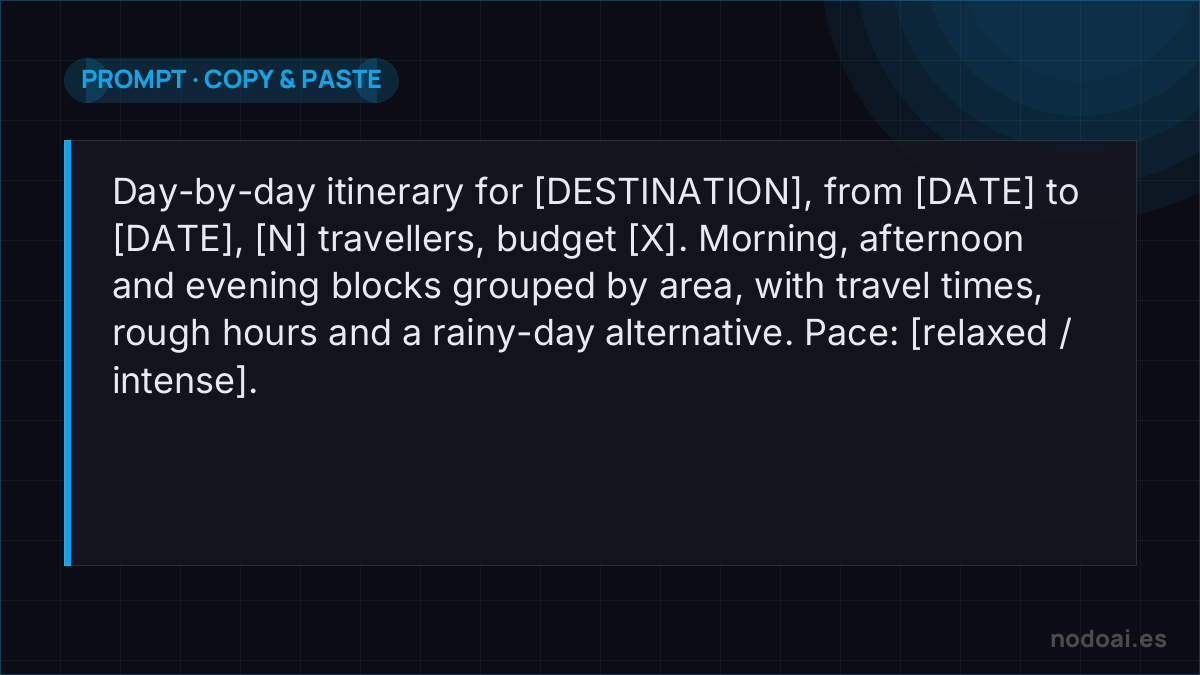
- Full context: destination, exact dates, number of travellers and ages, rough budget, interests and pace (relaxed or intense).
- Ask for a useful format: “day-by-day itinerary with rough times, travel times and a rainy-day alternative”.
- Iterate: the first plan is a draft. “Day 2 is too packed”, “add a cheap place to eat near X” and watch it improve.
Tools: chatbot or travel app
- ChatGPT, Gemini or Claude: the most flexible for designing and adjusting the itinerary through conversation. With browsing on, they also check recent data.
- Specialised AI travel apps: they build the itinerary on a map and link bookings, handy to see it all together; a bit less flexible than a chatbot.
Let AI plan it — but verify before you book
AI builds a day-by-day itinerary in seconds, tailored to your pace and budget. It's genuinely great for structure — and genuinely unreliable on facts.
- Double-check opening hours, prices and closures: models confidently state details that are outdated or invented.
- Confirm distances and transport: AI underestimates how long it takes to actually get between places.
- Book on official sites, not links the AI made up.
The best use: ask for a draft itinerary, then treat it as a starting point you validate. It turns a blank page into a plan in minutes; the reality check keeps your trip from falling apart at a closed door.
Our recommendation (and the red lines)
- ALWAYS verify what expires: opening hours, prices, whether a place opens that day or needs advance tickets. AI can give outdated data or invent an opening time —confirm it on the official site before relying on it.
- Beware “ghost places”: it sometimes suggests a restaurant or viewpoint that no longer exists or that it confuses. Check on a map that it’s real.
- Protect your data: you don’t need to give it your flight number, passport or card to plan; keep those to yourself (see how to protect your information when using AI).
- Our take: use it as a local guide that saves you hours of organising, not as a travel agency. Inspiration and structure for the AI; bookings and verification for you.
Frequently asked questions
Can AI book flights and hotels?
On its own, not reliably: it plans and recommends, but do the booking and payment yourself on the airline’s or hotel’s official site. Some apps link comparison sites, but always check the final price before paying.
Is it good for long or complex trips?
Yes, and it shines there: for multi-destination routes, AI splits the days and chains legs far faster than you. Just remember to verify transport schedules and border rules.
Conclusion
AI is the best trip-planning copilot: fast, personalised and free of tab overwhelm. But the bookings and the data that expires are yours to confirm. Any chatbot like ChatGPT works to start, and before sharing personal data, review how to protect your privacy with AI.