A small, blurry or pixelated photo is no longer a lost photo. AI upscalers enlarge the image and reconstruct the missing detail: sharp edges, believable textures and faces that become faces again. It’s one of the most rewarding AI utilities —and one that generates the most confusion about what it can and can’t do. Here it is, plainly.
What “enhancing quality” with AI really does
- It enlarges and reconstructs: the upscaler grows the image (2x, 4x…) and generates new detail the original photo didn’t have, learned from millions of images.
- It doesn’t “recover” information: what was blurry isn’t revealed: it’s plausibly reinvented. That’s why an unreadable licence plate stays unreadable (and if an upscaler “reads” it, it’s making it up).
- Where it shines: enlarging small photos for print, rescuing images crushed by WhatsApp compression and sharpening screenshots for work or presentations.
The tools, by profile
- Free and on your computer (Upscayl): an open-source app for Windows/Mac/Linux: unlimited upscaling without uploading your photos to any cloud. Our first stop.
- One-click websites: upload the photo and get the enlarged version back; convenient for one-off use, with size limits on free plans.
- Professional (Topaz Gigapixel, Photoshop’s super resolution): the top tier of quality and control for large prints or client work.
The process done right
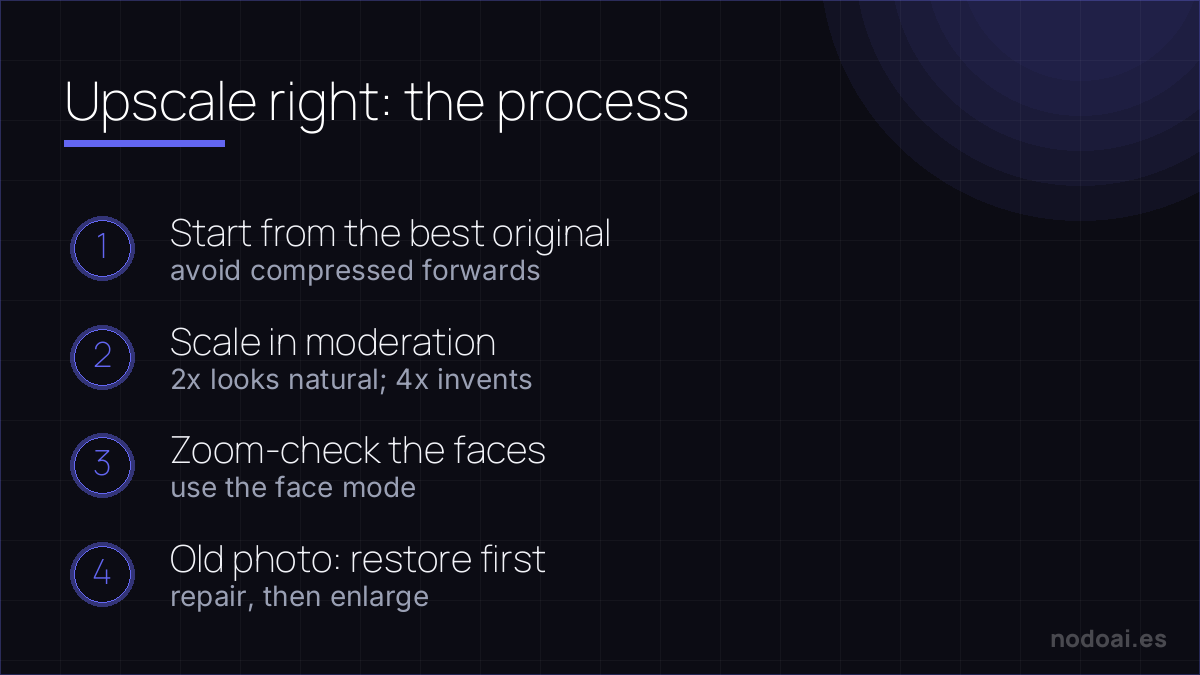
- 1. Start from the best version you have: the original over the WhatsApp forward; every previous compression subtracts.
- 2. Scale in moderation: 2x usually looks natural; 4x or more starts “inventing” texture, especially on faces.
- 3. Zoom in on faces: that’s where AI gives itself away most (teeth, eyes). Many tools have a dedicated face mode: use it.
- 4. If the photo is old or damaged, combine upscaling with old photo restoration with AI: repair first, enlarge after.
What upscaling can recover — and what it can't
AI upscalers rebuild detail impressively, but it helps to know the limit: they invent plausible detail, they don't retrieve lost data.
- Great for: mild blur, low resolution, web images, old family photos, AI art you want to print.
- Struggles with: heavily pixelated faces (it may hallucinate features that aren't the real person) and text, which can come back garbled.
- Workflow: upscale, then compare at 100% — if a face looks “off”, it invented it.
For most needs, a free tool like Upscayl is enough. Just remember: an enhanced photo is a convincing reconstruction, not the original truth — which matters for anything used as evidence or identification.
Our recommendation
- To start: Upscayl, free and local — no cost, no limits and your photos never leave your machine (privacy solved by default).
- Manage expectations: a tiny photo won’t become a perfect poster; it will become a much better, perfectly usable version. That’s already a lot.
- Our take: upscaling has the best effort-to-result ratio in all of AI editing. One click and photos you’d given up on return to the album.
Frequently asked questions
Can I enhance a photo to print it big?
Yes, it’s the ideal use case: scale to 2x-4x, zoom-check faces and details and export at maximum quality. For very large sizes, the professional tools add that extra sharpness.
Does it work for videos too?
AI video upscaling exists, but it’s far more demanding (it processes every frame) and usually needs paid tools or serious hardware. Master photo upscaling first.
Conclusion
Enhancing photo quality with AI is real and accessible: scale sensibly, check the faces and always start from the best original. Combine it with restoring old photos for family material, and if these utilities hook you, see the best AI image tools for the next step.
Our first recommendation, in detail: Upscayl profile.