Setting up an online store used to be a weeks-long project: design, product pages, copy, photos, payment gateway… Today AI eats a big chunk of that work and gets a version-1 store running in an afternoon. It’s no magic —the business is still yours— but it removes almost all the technical friction. Here’s how to do it well, with which tools, and where you should not trust the AI.
Which part of the work AI eats
- The store structure: from a description of your business, it generates a draft with pages, categories and a coherent design.
- The copy nobody enjoys: product descriptions, “about us” text, policies and automated emails, written in your tone.
- Images and touch-ups: clean backgrounds for your product photos, banners and variations, with no pro photo shoot.
The tools, by path
- Shopify with its AI (Magic and Sidekick): Magic generates copy and images inside the admin for free, and Sidekick is an assistant you ask for tasks by chat. Its builder creates a starter store from a prompt —perfect to begin, with a ceiling once you need fine business logic.
- All-in-one builders (Wix, Hostinger): they set up store, hosting and payments with AI simply; handy for small catalogues.
- Chatbots (ChatGPT, Claude): for what no platform does for you: strategy, names, persuasive product copy and answering customer questions.
The realistic plan in 5 steps
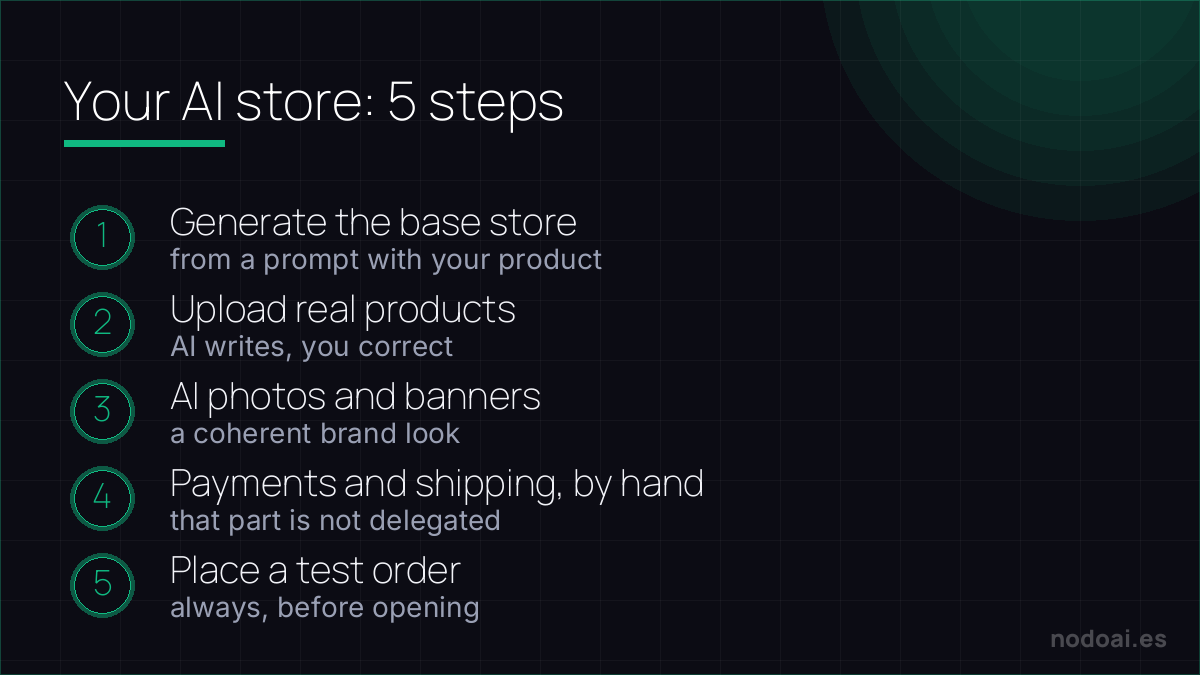
- 1. Pick a platform and generate the base store from a prompt with your product type.
- 2. Upload your real products; let AI write the pages and you correct them with true data.
- 3. Clean the photos and create banners with AI for a coherent look.
- 4. Set up payments and shipping yourself, by hand: that’s the part you don’t delegate.
- 5. Place a test order before opening. Always.
AI builds the store; you build the business
AI store builders (Shopify Magic, Wix, Durable) can spin up a shop with product copy and images in an afternoon. That's the easy part. What actually determines whether you sell:
- Real products and honest photos: AI product images must match what ships, or you'll drown in returns.
- Trust signals: clear policies, contact info, real reviews — buyers need reasons to trust a new store.
- Traffic: a store nobody visits sells nothing; plan how people will find it.
AI removes the technical barrier to opening a shop. The unglamorous work — sourcing, service, marketing — is still what makes it a business rather than a nice-looking empty storefront.
Our recommendation (and the red lines)
- AI starts, you finish: a “generated” store shows if you don’t personalise it. Adjust tone, real photos and details: that’s the difference between looking serious or improvised.
- No made-up data: don’t let AI fill in product specs, sizes or materials; a false detail on a page is a return and a bad review.
- Payments and legal, carefully: set up the payment gateway and policies (returns, privacy) yourself and review them; they’re what earns (or loses) trust.
- Our take: AI has dropped the barrier of “having a store” to almost zero. The barrier that remains —and that matters— is having something good to sell and serving buyers well.
Frequently asked questions
Can I build a store for free with AI?
You can start with free or trial plans and the included generation AI, but really selling involves costs (platform plan, domain, payment fees). Do those numbers before you launch.
Is the AI-generated store “good” for selling?
It works as a very decent version 1, but falls short when you need fine merchandising, custom logic or a brand that doesn’t look templated. Use it as a starting point, not a final version.
Conclusion
Creating an online store with AI is now a matter of hours, not weeks: generate, upload your real products and finish payments and legal by hand. Once you have it, attract customers and monetise with our guide to making money with AI and learn to sell AI services and agents to scale. Before investing, don’t skip validating your business idea.
The image sells: learn to make studio-level AI product photos from your phone.