You’ve always wanted to tell a story in panels but you can’t draw. AI has opened that door: today you can generate characters, scenes and panels from text and put together a full comic without picking up a pencil. It doesn’t replace an artist, but it lets you go from idea to page like never before. Here’s the realistic process, start to finish.
The real challenge: character consistency
- The classic problem: generating pretty images is easy; making the SAME character look the same in panel 1 and panel 20 is the hard part.
- How it’s solved: tools that “lock” a character (references, seeds or saved characters) to keep face, clothes and style across scenes.
- The upshot: choose your tool with consistency in mind, not just how spectacular a single image looks.
The step-by-step process
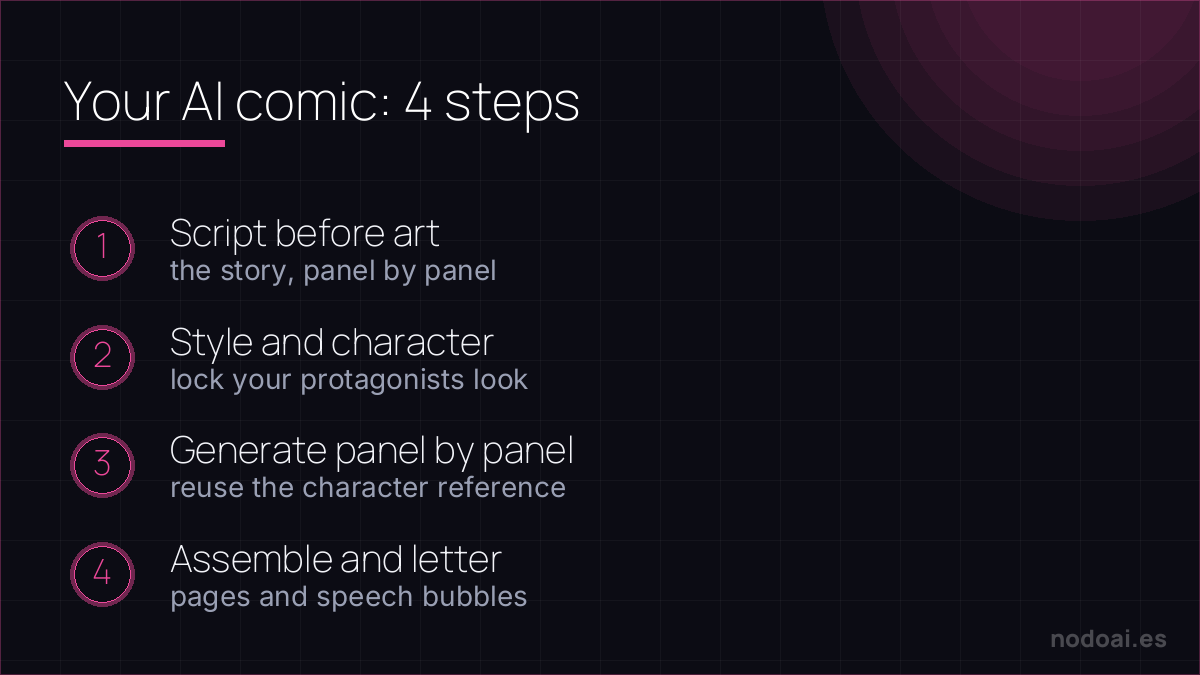
- 1. Script before art: write the story and break it into panels with what happens and the dialogue. A chatbot helps you structure it.
- 2. Define the style and character: “black-and-white manga style”, “colour European comic”… and lock your protagonists’ look.
- 3. Generate panel by panel: describe each scene (shot, action, emotion) reusing the character reference so it doesn’t change.
- 4. Assemble and letter: arrange the panels into pages and add speech bubbles and text (with an image editor or a comic app).
Tools, by part
- Image generators (Midjourney, DALL·E, Ideogram): for the panels. Ideogram stands out for placing legible text inside the image.
- Chatbots (ChatGPT, Claude): for the script, dialogue and refining each description.
- Comic/layout apps: to place panels, bubbles and export the final page.
The hard part isn't the art — it's consistency
Generating one great panel is easy. Making the same character look the same across 20 panels is where AI comics fall apart. How pros handle it:
- Lock the character: use a detailed, reusable description or a character reference/seed the tool supports.
- Storyboard first: write the script and panel breakdown before generating a single image.
- Compose in layers: generate backgrounds and characters, then assemble and letter in an editor — don't expect one prompt to nail a whole page.
Style consistency, panel flow and readable lettering are still craft decisions. AI removes the “I can't draw” barrier; the storytelling is yours.
Our recommendation (and the rights)
- The story rules: AI handles the drawing, but a good comic lives on script and pacing. That’s still where your value is.
- Don’t copy copyrighted characters: generating “your manga with [famous character]” to publish or sell enters intellectual-property territory. Create your own characters.
- Mind the commercial terms: each generator has its own rules about selling what you create; read them if you’ll monetise, as we explain in our AI and copyright guide.
- Our take: it’s the fastest way there is to go from “I have an idea” to “I have some pages”. Imperfect on hands and text, but brutal for prototyping and for anyone who never could draw.
Frequently asked questions
Can I keep the same character throughout the comic?
Yes, with consistency features (character references, seeds or saved “characters”). Without them, every panel comes out different; it’s the factor most worth checking when choosing a tool.
Can I sell an AI-made comic?
It depends on the tool’s terms and on the characters being yours (not copies of copyrighted works). Check the generator’s commercial licence and avoid leaning on other people’s brands.
Conclusion
Making a comic with AI is now within anyone’s reach: script, style, consistent panels and assembly. Start with a short chapter and see how far you get. To choose the generator, see the best AI image tools; and if you want to add motion to a scene, learn to animate an image with AI. For the script, lean on a chatbot like ChatGPT.